Crisp Review 2026: AI Support Platform Tested
Crisp Review 2026: AI Support Platform Tested
Crisp markets itself as an all-in-one, AI-first customer support suite that helps businesses automate up to 50% of inquiries while keeping every conversation in one shared inbox. The pitch is compelling: flat pricing, quick deployment, and an AI agent that learns from your own website and knowledge base. But does the platform deliver on that promise for real support teams?
This review breaks down what Crisp actually does well, where it falls short, how pricing works in practice, and which types of businesses should consider it over alternatives like Intercom, Freshdesk, or Gorgias.
What Is Crisp?
Crisp product interface.
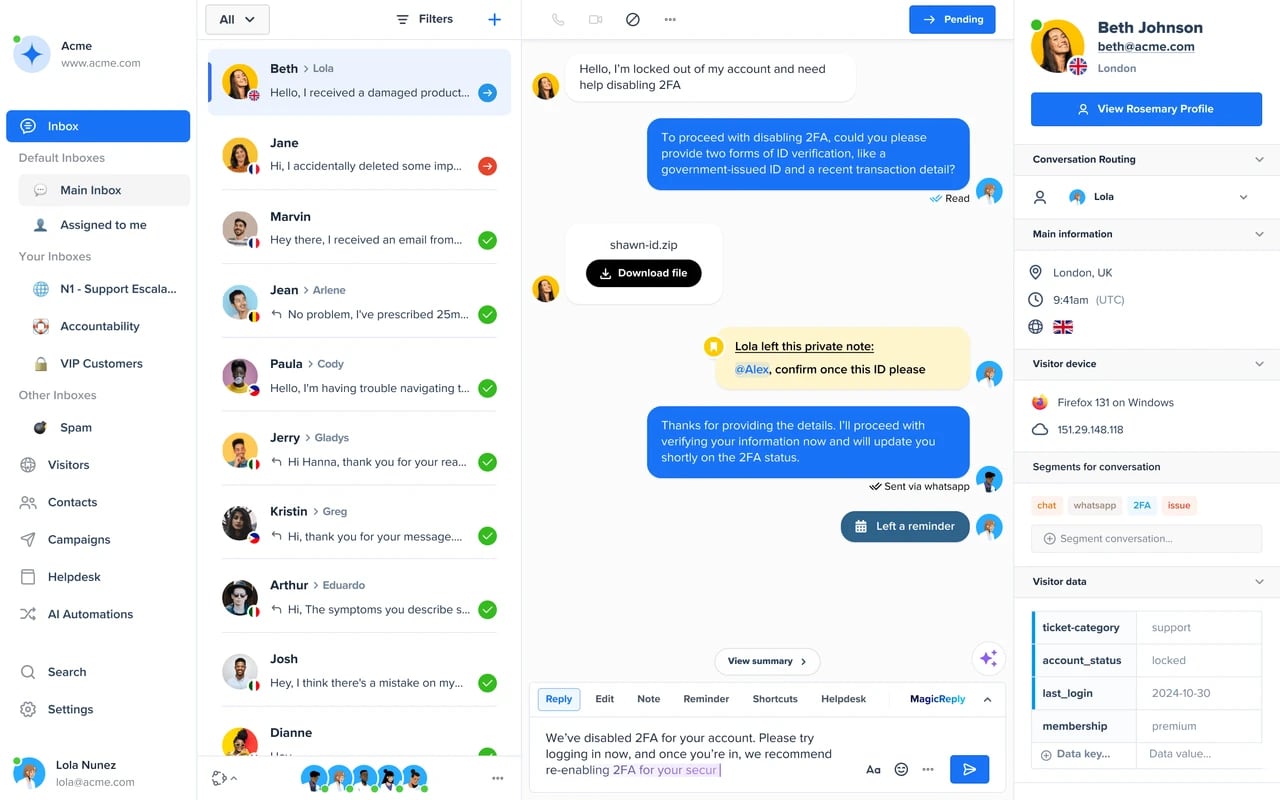
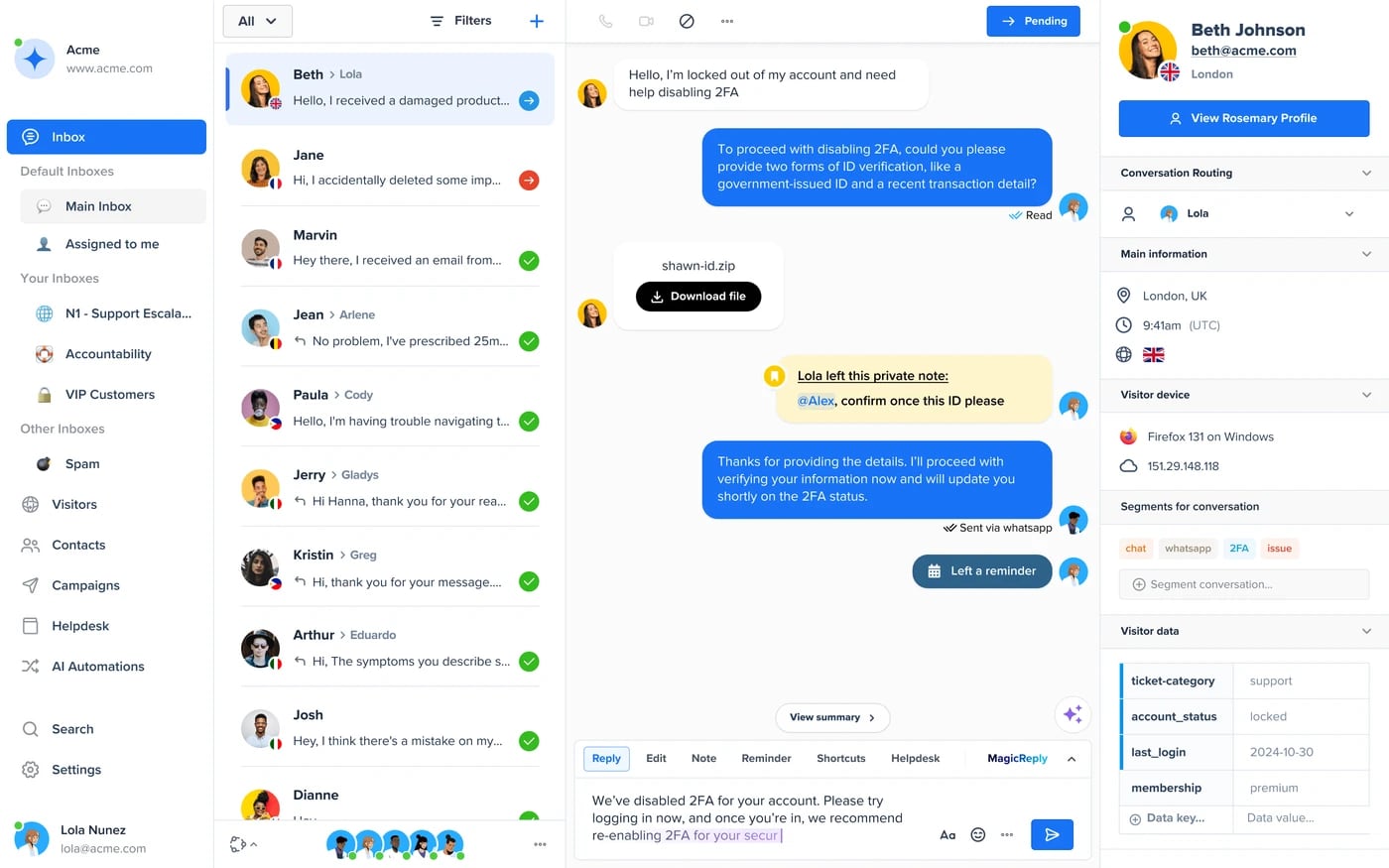
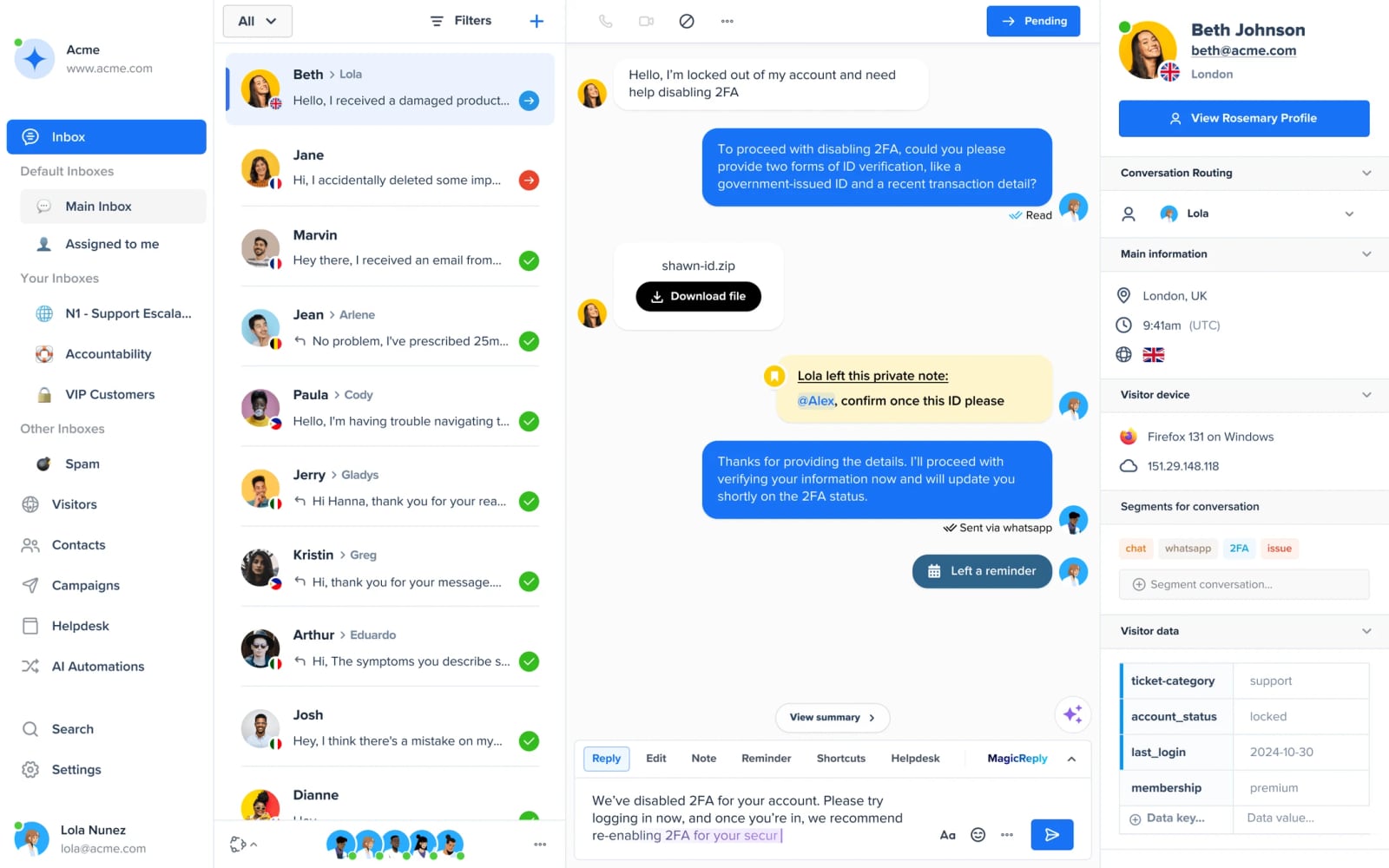
Crisp is a multichannel messaging platform built around a central shared inbox. Teams can respond to chats, emails, WhatsApp messages, Instagram DMs, Facebook messages, and more from one interface. On top of that inbox sits an AI layer: an agent builder called Hugo that can be trained on your website content, PDFs, and knowledge base articles to answer customer questions automatically.
The platform also includes a no-code workflow builder, a lightweight support CRM, ticketing, analytics, a customizable chat widget, a knowledge base for self-service, and status pages. Crisp positions itself for companies of all sizes, from solopreneurs to large enterprises, and claims more than 10,000 companies use the platform.
Who Should Use Crisp?
Crisp product interface.
Crisp is not a one-size-fits-all tool. Based on its feature set and pricing model, it fits some teams much better than others.
Ideal Users
Small to mid-sized SaaS and ecommerce teams that want to consolidate support channels without paying per-agent premiums. Crisp's flat pricing structure is especially attractive if you have a growing team but want predictable costs.
Businesses that want AI automation without a heavy implementation lift. The Hugo AI agent can be trained on existing content, which means you can get a functional chatbot live in hours rather than weeks. This is a meaningful difference from enterprise platforms that require dedicated implementation resources.
Teams that value speed and simplicity over deep customization. Crisp's interface is intentionally lightweight. If you need a shared inbox, basic ticketing, a knowledge base, and AI deflection, Crisp covers those bases without the complexity of a full enterprise suite.
Startups and lean support teams that need omnichannel coverage early. The ability to connect WhatsApp, Instagram, Facebook, and email in one place without additional per-channel fees is a practical advantage.
Who Should Look Elsewhere
Large enterprises with complex routing, SLA management, and compliance requirements. Crisp's workflow builder is capable, but it does not match the depth of enterprise platforms like Zendesk or Salesforce Service Cloud when it comes to advanced escalation logic, workforce management, or regulatory controls.
Teams that need deep CRM integration or revenue-focused support workflows. While Crisp includes a support CRM, it is not a full sales pipeline tool. If your support team needs to manage deals, track revenue impact, or run sophisticated lifecycle campaigns, a platform like Intercom may be a better fit. For a detailed comparison of support platforms with different CRM strengths, see our Intercom vs Pylon vs Gorgias comparison.
Organizations with strict data residency or on-premise requirements. Crisp is a cloud platform, and businesses in highly regulated industries should verify data handling and residency options before committing.
Core Strengths
AI Agent That Learns From Your Content
The standout feature is Hugo, Crisp's AI agent builder. You can train Hugo on your website pages, uploaded PDFs, and knowledge base articles. Once trained, Hugo can answer common questions, collect lead details, and hand off to a human agent when needed.
Crisp claims the AI can automate up to 50% of inquiries under the right conditions, and the company cites examples like a 30% reduction in ticket costs. Those numbers are achievable in practice when the knowledge base is well-maintained and the AI is given clear escalation rules. The key variable is content quality: if your documentation is outdated or sparse, Hugo's answers will reflect that.
Flat, Predictable Pricing
Crisp's pricing model is one of its clearest differentiators. Unlike many competitors that charge per agent per month, Crisp offers flat-rate plans. This means you can add team members without watching your bill climb linearly. For growing teams, that pricing structure can translate into significant savings compared to per-seat platforms.
The tradeoff is that advanced features are gated behind higher tiers. AI automation, for example, is not available on the entry-level plan. You need to understand which tier unlocks the features you actually need before committing.
Genuinely Omnichannel Inbox
Crisp consolidates a wide range of channels: website chat, email, WhatsApp, Instagram, Facebook, Messenger, and more. The shared inbox gives every team member visibility into all conversations, which reduces the risk of missed messages and duplicate responses.
For small teams that previously juggled multiple apps, this consolidation alone can justify the subscription cost.
Quick Setup and Low Learning Curve
Crisp emphasizes ease of use, and that claim holds up in practice. The chat widget can be installed with a simple script, the knowledge base is straightforward to build, and the workflow builder uses a visual, no-code interface. Most teams can be operational within a day.
If you are coming from a heavier platform or starting from scratch, the onboarding friction is minimal. This is a meaningful advantage for lean teams without dedicated IT resources.
Limitations and Tradeoffs
AI Quality Depends on Your Content
Hugo is only as good as the material it is trained on. If your knowledge base is thin, the AI will give thin answers or deflect too aggressively. Teams that expect the AI to work out of the box without investing in documentation will be disappointed.
Reporting and Analytics Are Functional, Not Deep
Crisp provides analytics on conversation volume, response times, and AI deflection, but the depth is not comparable to dedicated analytics platforms or enterprise suites. If you need advanced cohort analysis, custom dashboards, or deep integration with a data warehouse, you may need to export data and analyze it elsewhere.
Workflow Builder Has Limits
The no-code workflow builder handles common scenarios well: routing by channel, tagging, auto-responses, and simple conditional logic. But complex multi-step automations with nested conditions, external API calls, or advanced branching can hit the edges of what the builder supports. Teams with sophisticated automation needs should test these limits during a trial.
Ticketing Is Basic Compared to Dedicated Help Desks
Crisp includes ticketing, but it is not a full-featured help desk. If your workflow depends on advanced SLA policies, asset management, change management, or ITIL-style processes, you will likely need a dedicated tool. For a deeper look at a platform with stronger ticketing capabilities, see our Freshdesk review.
Pricing Signals
Crisp does not publish a single transparent price list on its marketing site, but the pricing model is well understood from available information:
- Free tier: Available with basic chat and limited history. Suitable for testing the interface but not for production use.
- Paid plans: Flat monthly pricing that scales by feature tier rather than by agent count. AI features, advanced workflows, and some channels are locked behind higher tiers.
- Enterprise: Custom pricing for larger organizations with advanced needs.
The flat pricing model is the key signal here. If your team is growing, Crisp's cost per agent decreases as you add seats, which is the opposite of per-seat platforms. However, you should map your required features to the correct tier before comparing prices, because the entry-level paid plan may not include the AI automation that makes Crisp compelling.
Setup and Onboarding
Getting started with Crisp follows a predictable path:
- Create an account and choose a plan.
- Install the chat widget on your website using a JavaScript snippet or a plugin for popular CMS platforms.
- Connect your channels — email, WhatsApp, Instagram, Facebook, and others.
- Build or import your knowledge base articles.
- Train Hugo on your website content, PDFs, and knowledge base.
- Configure workflows for routing, auto-responses, and AI escalation rules.
- Test the AI with real customer questions and refine answers.
Most teams can complete steps 1-4 in a few hours. Training Hugo and tuning workflows takes longer — typically a few days of iteration to get deflection rates up. The platform's simplicity means you do not need a developer for most of this, though custom widget styling and advanced API integrations may require technical help.
For teams that want to automate more than just support conversations, our workflow automation guide covers how to apply similar principles across other business processes.
How Crisp Compares to Alternatives
Crisp product interface.
Crisp vs Intercom
Intercom offers a more mature product with deeper CRM capabilities, stronger lifecycle messaging, and a larger ecosystem of integrations. It also costs significantly more, especially as your team grows. Crisp wins on price and simplicity; Intercom wins on depth and revenue-focused workflows. If you are evaluating both, our Intercom vs Pylon vs Gorgias comparison provides additional context.
Crisp vs Freshdesk
Freshdesk is a more traditional help desk with stronger ticketing, SLA management, and IT support features. Crisp is more chat-first and AI-forward. Choose Freshdesk if ticketing depth matters most; choose Crisp if conversational support and AI deflection are your priorities. Our Freshdesk review breaks down the differences in more detail.
Crisp vs Gorgias
Gorgias is built specifically for ecommerce, with deep integrations into Shopify, Magento, and other commerce platforms. Crisp is more general-purpose. If you run an ecommerce store and want order data, refunds, and customer history directly inside your support tool, Gorgias is the stronger choice. Crisp is better for teams that need a broader channel mix at a lower price.
Decision Criteria: Is Crisp Right for You?
Crisp product interface.
Choose Crisp if:
- You want flat pricing and predictable costs as your team grows.
- You need omnichannel support across chat, email, and social channels in one inbox.
- You want to deploy an AI agent quickly using content you already have.
- You value ease of use over deep customization.
- You are a small to mid-sized team that does not need enterprise-grade ticketing or CRM.
Consider alternatives if:
- You need advanced SLA management, asset tracking, or ITIL workflows.
- You require deep CRM integration with revenue tracking.
- You operate in a highly regulated industry with strict data residency needs.
- You need sophisticated multi-step automation with external API calls.
- Your support team is heavily focused on ecommerce order management.
Related reading
- Top 10 UCaaS Platforms in 2026: Ranked & Reviewed - Compare the 10 best UCaaS platforms for 2026 with evidence-based rankings, pricing signals, AI features, and buyer guidance for SMB to enterprise.
- How to Use Intercom with Twilio: Setup & Workflows - Learn how to connect Intercom and Twilio for omnichannel support, phone routing, and customer data sync. Step-by-step setup, workflows, and examples.
Sources and further reading
- CRISP - Updated August 2026 - 1169 Photos & 1131 Reviews - Yelp - [[HIGHLIGHT]]Lovely spot in the heights! I love the vibe here, the patio, the private room for large parties.[[ENDHIGHLIGHT]] Pizza however is just 'okay'. My ...
- Read Customer Service Reviews of crisp.nl - Trustpilot - Crisp is de online supermarkt voor iedereen die van goed eten houdt. Meer dan 1200 kwaliteitsproducten besteld via één app, en de volgende dag bij jou ...
- CRISP, Rochester - Restaurant Reviews, Photos & Phone Number - It was very nice; we were able to have a decent conversation with dinner and that made for a wonderful experience. The service was prompt but unobtrusive.
FAQ
Is Crisp really free?
Crisp offers a free plan with basic chat functionality and limited history. It is suitable for evaluation and very small projects, but most businesses will need a paid plan to access AI features, omnichannel support, and meaningful conversation history.
How good is the Crisp AI agent?
Hugo, the Crisp AI agent, performs well when trained on high-quality, up-to-date content. Crisp claims up to 50% automation of inquiries under the right conditions. The actual deflection rate depends heavily on your knowledge base quality, the complexity of your product, and how well you configure escalation rules.
Does Crisp charge per agent?
No. Crisp uses flat pricing rather than per-agent pricing. This is one of its main advantages for growing teams, as costs do not increase linearly with headcount. However, feature access varies by plan tier.
Can Crisp replace my help desk?
For many small and mid-sized teams, yes. Crisp includes ticketing, a shared inbox, and automation that cover common support workflows. For teams with complex SLA requirements, asset management, or ITIL processes, a dedicated help desk like Freshdesk may still be necessary.
How long does Crisp take to set up?
Basic setup — installing the widget, connecting channels, and building a simple knowledge base — can be done in a few hours. Training the AI and tuning workflows typically takes several days of iteration to achieve meaningful automation rates.
Does Crisp integrate with WhatsApp and Instagram?
Yes. Crisp supports WhatsApp, Instagram, Facebook, Messenger, email, and other channels through its omnichannel inbox. Some channels may require a higher plan tier.
Conclusion
Crisp is a strong choice for small to mid-sized teams that want AI-powered customer support without enterprise complexity or per-agent pricing. Its flat pricing model, quick setup, and genuinely useful AI agent make it a compelling option for businesses that are outgrowing basic chat tools but do not need the depth of Intercom or Zendesk.
The main caveats are predictable: AI quality depends on your content, reporting is functional rather than deep, and the workflow builder has limits. If those tradeoffs align with your priorities, Crisp deserves a serious evaluation. Start with the free tier, train Hugo on your existing knowledge base, and measure the actual deflection rate before committing to a paid plan.