ClearFeed Review 2026: Slack Helpdesk Tested
ClearFeed Review 2026: A Slack-Native Helpdesk Tested
ClearFeed is an AI-native helpdesk platform built for teams that live in Slack. Instead of forcing support staff into a separate ticketing portal, it converts Slack conversations into trackable tickets and layers AI automation on top. The pitch is simple: keep your team where they already work, reduce context switching, and let AI handle the repetitive parts of support.
But does it deliver? This review breaks down ClearFeed's strengths, limitations, pricing signals, setup experience, and the decision criteria that matter when choosing a Slack-centric helpdesk.
What Is ClearFeed?
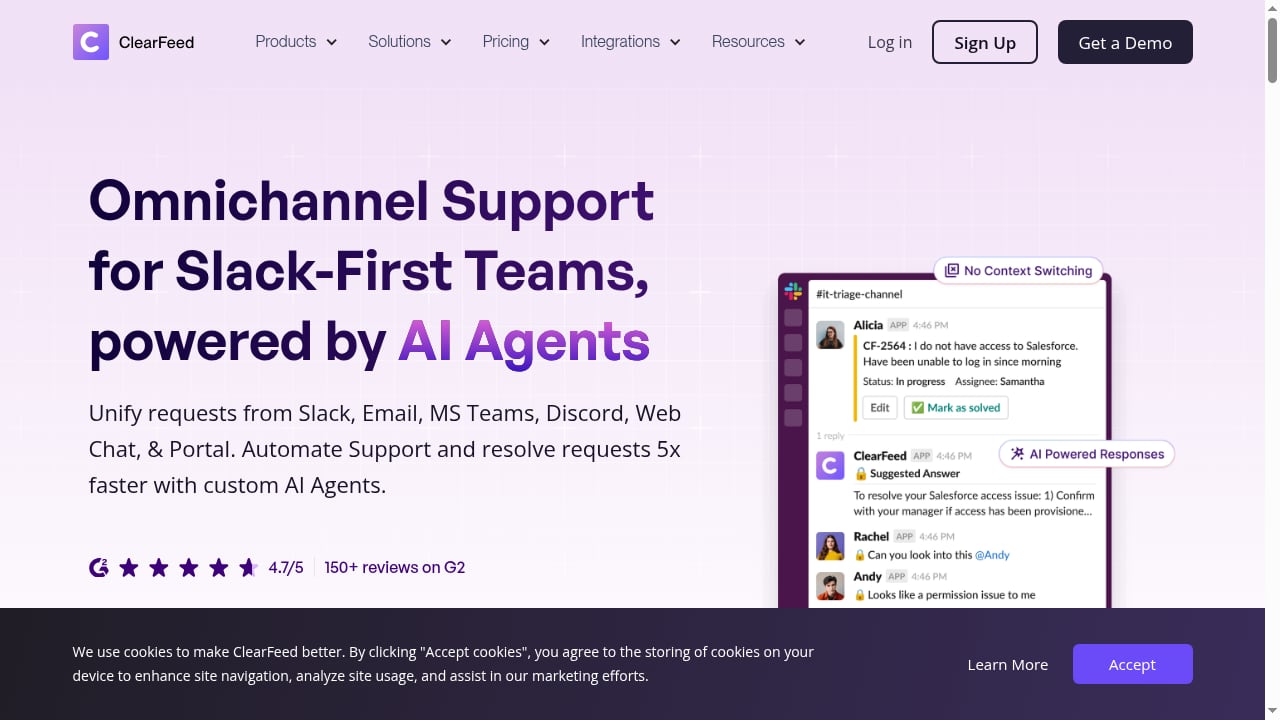
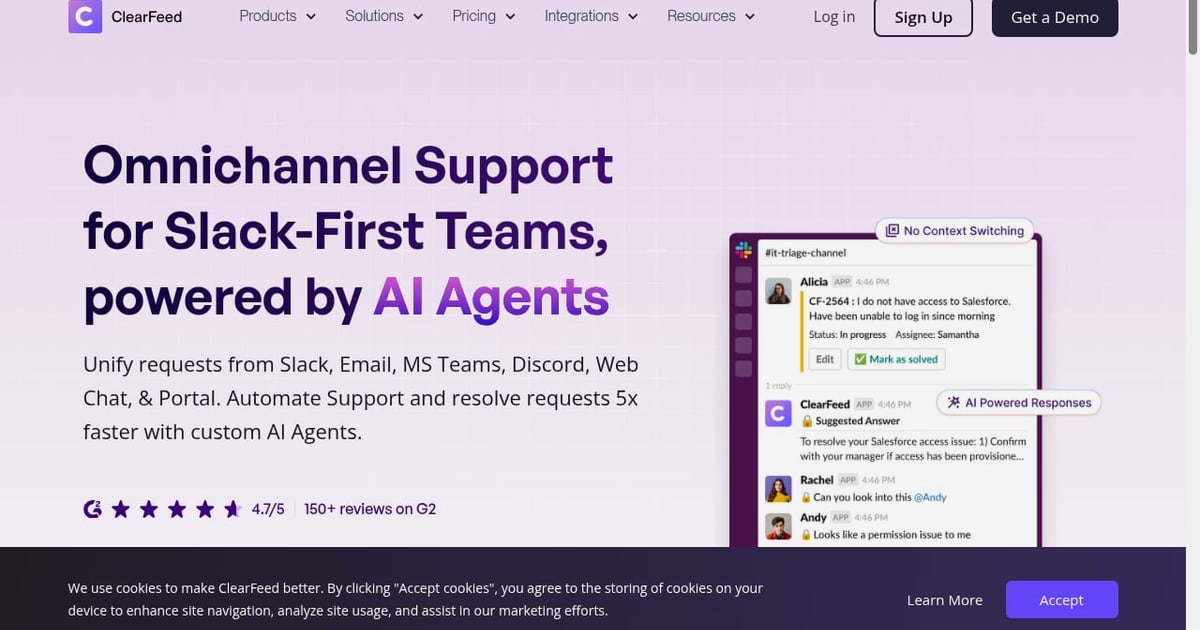
First viewport screenshot of The Next-Gen Helpdesk in Slack Powered by AI Agents.
ClearFeed positions itself as a next-generation alternative to traditional helpdesks like Zendesk and Freshdesk, specifically for organizations where Slack is the primary communication hub. It consolidates customer and internal support requests from Slack, email, web chat, Microsoft Teams, Discord, and Telegram into one unified Slack interface.
Core capabilities include:
- AI agents that auto-resolve queries, suggest responses, and update documentation through DocAssist
- Omnichannel intake spanning Slack, email, web chat, Teams, Discord, and Telegram
- Deep integrations with Zendesk, Freshdesk, Jira, Salesforce, HubSpot, and more
- Ticketing workflows with custom statuses, priorities, SLAs, and assignment routing
ClearFeed serves two primary use cases: external customer support through Slack Connect and internal IT, HR, and operations help desks. This dual positioning is both a strength and a trade-off, which we'll explore below.
Who Should Use ClearFeed?

ClearFeed Review 2026: Slack Helpdesk Tested - ClearFeed Strengths.
ClearFeed fits best for teams that already treat Slack as their operational center of gravity. If your support team spends most of the day in Slack and your customers or employees already reach you there, ClearFeed removes the friction of jumping between tools.
Ideal users include:
- B2B SaaS companies using Slack Connect to support enterprise customers in shared channels
- Internal IT and HR teams managing employee requests through channels like #it-help or #hr-requests
- Operations teams coordinating cross-functional workflows without leaving Slack
- Organizations with existing helpdesk investments that want a Slack layer without ripping out Zendesk or Jira
Teams that don't use Slack heavily, or that need deeply specialized ITSM workflows, will likely find ClearFeed's generalist approach less compelling than a purpose-built alternative.
ClearFeed Strengths
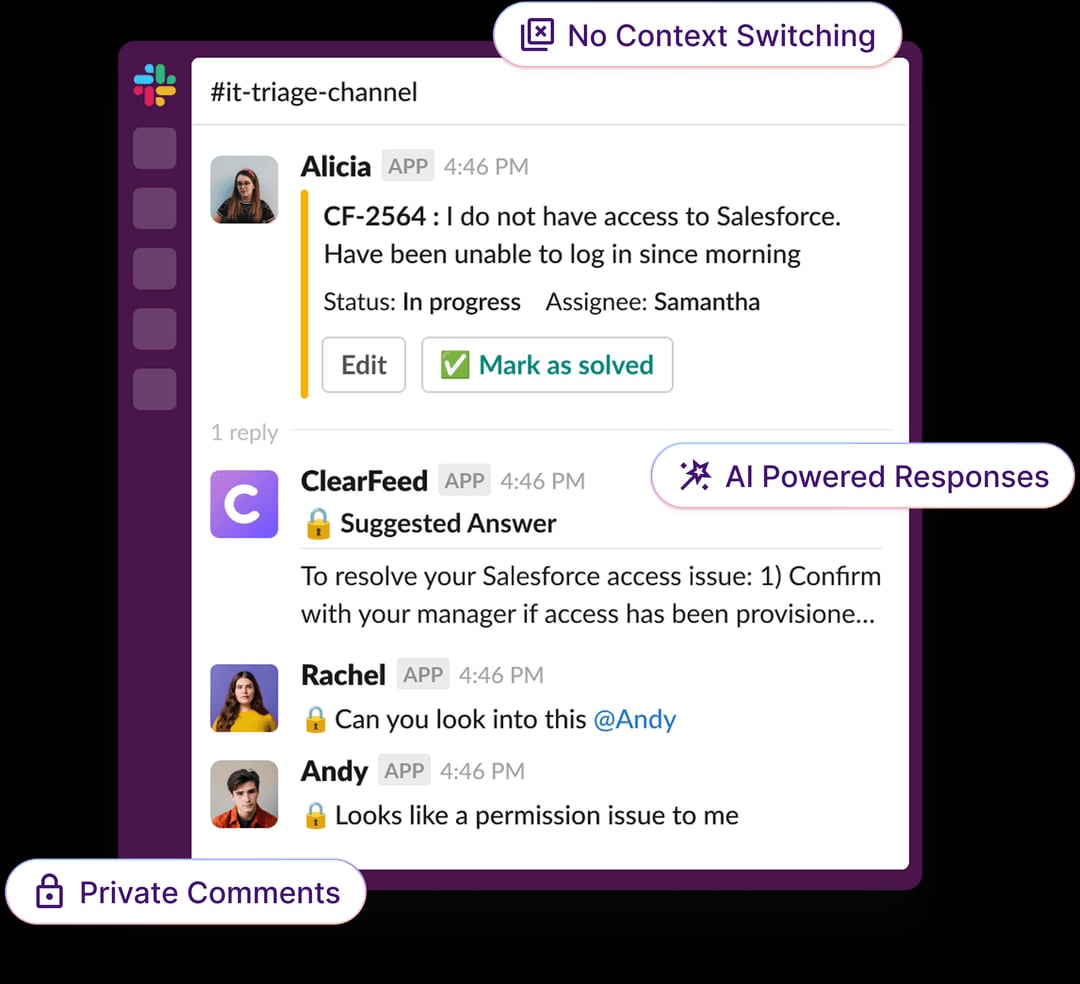
ClearFeed - The Next-Gen Helpdesk in Slack Powered by AI Agents.
1. Slack-Native Ticketing Without Context Switching
The core value proposition is straightforward: tickets are created from Slack messages, managed in Slack, and resolved in Slack. Employees submit requests through channels or DMs. Support teams respond without opening a separate browser tab. This preserves conversation context and removes the friction that causes people to avoid formal ticketing processes entirely.
2. Flexible Pricing Models
ClearFeed offers both agent-based and usage-based pricing, which is uncommon in the Slack helpdesk category. Agent-based plans start at $24 per agent per month on annual billing, while usage-based pricing starts around $40 per month plus per-ticket and per-channel costs. This flexibility lets small teams start lean and scale based on actual volume rather than headcount.
3. Strong User Satisfaction
G2 reviewers rate ClearFeed 4.6 out of 5 based on 159+ reviews. Customer support is frequently praised in user feedback, and reviewers consistently mention time savings from consolidating support workflows into Slack. That's a meaningful signal for a platform in a category where implementation friction is a common complaint.
4. Bridge to Existing Helpdesk Tools
ClearFeed doesn't force you to abandon your current stack. It integrates with Zendesk, Freshdesk, Jira, Salesforce, and HubSpot, functioning as a Slack-native front end for teams that already have ticketing infrastructure. This makes it a lower-risk adoption path for larger organizations.
ClearFeed Limitations

ClearFeed Review 2026: Slack Helpdesk Tested - ClearFeed Limitations.
1. Metered AI Costs Add Up
ClearFeed's AI capabilities operate on a credit-metered system rather than unlimited usage. The Starter plan includes 100 AI credits for $20 per month, with additional credits required for heavy usage. For teams processing high ticket volumes, AI costs can add $240 to $600 annually on top of base pricing. This is a meaningful budget consideration that isn't always obvious during the sales process.
2. No Free Tier
Unlike competitors such as Suptask (10 tickets per month free) and Atlassian Jira Service Management (3 agents free), ClearFeed offers only a 14-day trial. Teams must commit to a paid plan after the trial period, which can be a barrier for small teams or those still validating their Slack support workflow.
3. Thread Organization Concerns
G2 reviewers have flagged thread organization as a pain point. When multiple conversations happen simultaneously in a channel, ticket threading can become confusing. Teams running high-volume internal help desks may find that cleaner ticket threading in other platforms provides a better experience.
4. Limited Analytics Depth
User feedback also points to limited analytics capabilities compared to enterprise-grade helpdesks. If your team needs deep reporting on resolution times, agent performance, or SLA compliance, ClearFeed's analytics may feel thin. Teams with mature reporting requirements should evaluate this carefully during a trial.
ClearFeed Pricing Signals
ClearFeed's pricing structure reflects its positioning as a flexible, mid-market solution:
| Plan | Pricing | Best For |
|---|---|---|
| Starter | $24/agent/month (annual) | Small teams validating Slack support |
| Professional | $49/agent/month (annual) | Growing teams needing advanced workflows |
| Enterprise | Custom | Large orgs with compliance requirements |
| Usage-Based | From $40/month + per-ticket costs | Teams with variable volume |
AI credits are metered separately, which means your effective cost depends heavily on how aggressively you use AI automation. Teams that want predictable AI costs should clarify credit consumption rates before committing.
For comparison, platforms with AI included in plan pricing rather than metered separately offer more predictable costs for teams wanting to maximize automation without watching credit consumption. This is worth weighing against ClearFeed's flexibility.
Setup and Implementation
ClearFeed's setup is relatively straightforward for a Slack-native platform. The core workflow involves:
- Connecting Slack workspaces and designating support channels
- Configuring ticket triggers based on channel activity, emoji reactions, or slash commands
- Setting up routing rules for assignment to specialized teams
- Connecting knowledge bases for AI-powered response suggestions
- Integrating external tools like Zendesk or Jira if needed
Teams can typically get basic ticketing running within a day. The more complex work is tuning AI behavior and routing rules to match your team's actual workflows. The 14-day trial is enough to validate the core experience but may feel tight for evaluating AI performance across edge cases.
ClearFeed vs. Alternatives
ClearFeed vs. Zendesk
Zendesk is a full-featured helpdesk with Slack as an add-on. ClearFeed is Slack-native with helpdesk features built around that core. If Slack is your primary interface and you want minimal context switching, ClearFeed wins on workflow fit. If you need deep analytics, extensive customization, and a mature marketplace, Zendesk remains the stronger enterprise choice. For a deeper comparison of support platforms in 2026, see our Intercom vs Gladly vs eesel AI comparison.
ClearFeed vs. Slack-Native Specialists
Within the Slack-native category, ClearFeed competes with platforms like Unthread and Suptask. Unthread reports a 4.9/5 G2 rating and documented 40% automatic ticket deflection at enterprise deployments, which represents a measurable AI automation advantage. Suptask offers a free tier that ClearFeed lacks. Teams prioritizing AI resolution rates should compare measured outcomes, not just feature lists. Our Continuous AI Improvement framework explains how to evaluate AI systems based on real outcomes rather than marketing claims.
ClearFeed vs. Traditional ITSM
Atlassian Jira Service Management and ServiceNow offer Slack connectivity as part of broader service management suites. These platforms provide deeper ITSM capabilities like change management and asset tracking, but at the cost of a heavier implementation. ClearFeed is the lighter-weight choice for teams that want Slack-native ticketing without enterprise ITSM overhead.
Decision Criteria: Should You Buy ClearFeed?
ClearFeed is a strong choice if:
- Slack is already your team's primary workspace and you want to minimize tool switching
- You need both internal and external support from one platform
- You have existing helpdesk tools and want a Slack layer without replacing them
- Flexible pricing matters more than predictable all-in costs
ClearFeed is less ideal if:
- You need deep analytics and reporting for SLA compliance or performance management
- You want unlimited AI automation without metered credit tracking
- You're a small team that needs a free tier to validate the workflow
- You run high-volume internal help desks where thread organization is critical
Sources and further reading
- ClearFeed Reviews (12): Pros & Cons of Working At ... - Glassdoor - Amazing company and people to work with ... I've had incredible opportunities to learn and grow at ClearFeed. The team here is one of the best I've ever worked ...
- ClearFeed Reviews 2026: Details, Pricing, & Features - G2 - Clearfeed simplifies our support processes and makes it easy for us to keep on track with what customers are really asking. It genuinely saves us time by ...
- ClearFeed Review 2026: Honest Pros and Cons - When IT teams, HR departments, and internal operations groups evaluate Slack-native help desk software, ClearFeed consistently appears on shortlists. The platform raised $2.7 million in seed funding from Peak XV's Surge program and has grown to serve over 100 organizations globally.
But does ClearFeed deliver on its promises for internal service management? This review examines the platform's actual strengths and limitations based on documented user feedback, competitive analysis, and real-worl
Frequently Asked Questions
What is ClearFeed used for?
ClearFeed is a Slack-native helpdesk platform used for both external customer support and internal IT, HR, and operations help desks. It converts Slack conversations into trackable tickets and adds AI-powered automation for response suggestions, ticket classification, and documentation updates.
How much does ClearFeed cost?
ClearFeed offers agent-based pricing starting at $24 per agent per month on annual billing, with Professional plans at $49 per agent per month. Usage-based pricing starts around $40 per month plus per-ticket and per-channel costs. AI capabilities are metered separately through credit systems.
Does ClearFeed have a free tier?
No. ClearFeed offers a 14-day free trial but no permanent free tier. Competitors like Suptask and Atlassian Jira Service Management offer free tiers with limited capacity.
What is ClearFeed's G2 rating?
ClearFeed holds a 4.6 out of 5 rating on G2 based on 159+ reviews. Users frequently praise customer support and time savings from consolidating workflows into Slack.
Can ClearFeed replace Zendesk?
ClearFeed can replace Zendesk for Slack-centric teams that prioritize workflow fit over deep analytics and customization. However, ClearFeed also integrates with Zendesk, so teams can use it as a Slack-native front end while keeping Zendesk as the system of record.
How does ClearFeed's AI work?
ClearFeed uses GPT-based AI for intent detection, response drafting from knowledge base content, and ticket classification. AI features operate on a credit-metered system, meaning heavy automation usage incurs additional costs beyond base plan pricing.
Conclusion
ClearFeed is a well-executed Slack-native helpdesk that solves a real problem: support teams drowning in context switching between Slack and traditional ticketing tools. Its 4.6/5 G2 rating, flexible pricing models, and bridge integrations with Zendesk, Jira, and Salesforce make it a credible option for Slack-centric organizations.
The main trade-offs are metered AI costs, no free tier, and thread organization concerns at high volumes. Teams that want unlimited AI automation or deep analytics should evaluate alternatives carefully. For a broader comparison of AI support platforms, see our Intercom vs eesel AI analysis or explore Richpanel for ecommerce use cases.
Ultimately, ClearFeed earns its place on shortlists for teams that treat Slack as their operational hub. The 14-day trial is enough to test the core workflow. Just make sure to track AI credit consumption during the trial so your post-purchase costs don't surprise you.