Customer Support Login: Secure Access for AI-First Support Teams
Customer Support Login: Secure Access for AI-First Support Teams
A customer support login is the front door to your helpdesk. It is where agents start their day, where admins manage permissions, and where AI agents like Fin are configured to resolve conversations. When login is secure and simple, support teams move faster. When it is confusing or insecure, every conversation slows down.
This article explains how modern support logins work, what to look for in an AI-first platform, and how to set up access that balances speed with security.
Why customer support login matters more than ever
Support platforms now hold more than tickets. They store customer histories, conversation transcripts, billing details, and AI training data. A weak login process puts all of that at risk. At the same time, support teams need quick access from multiple devices and locations, often across time zones.
The best login systems solve both problems: they verify identity rigorously and get agents into the right workspace in seconds.
How a modern support login works
Customer Support Login: Secure Access for AI-First Support Teams - How a modern support login works.
Most AI-first customer service platforms use a layered approach.
1. Authentication methods
- Email and password remains common, but should always be paired with multi-factor authentication (MFA).
- Single sign-on (SSO) lets agents use their existing corporate credentials, reducing password fatigue and centralizing access control.
- Social or external login can be useful for smaller teams, but enterprise buyers usually prefer SSO with SAML or OIDC.
2. Multi-factor authentication (MFA)
MFA adds a second step, such as a code from an authenticator app or a hardware key. For support teams handling sensitive data, MFA should be mandatory, not optional.
3. Role-based access control (RBAC)
Not every agent needs the same permissions. A typical setup includes:
- Agents: view and respond to conversations, use AI suggestions.
- Team leads: access reporting, reassign conversations, manage queues.
- Admins: configure AI agents, integrations, billing, and user access.
- Developers: manage APIs, webhooks, and custom apps.
RBAC ensures that a login grants only the access required for the role.
4. Session management
Good platforms let admins set session timeouts, revoke access instantly, and audit login activity. This is critical when an employee leaves or a device is lost.
What to look for in an AI-first support platform
Customer Support Login: Secure Access for AI-First Support Teams - What to look for in an AI-first support platform.
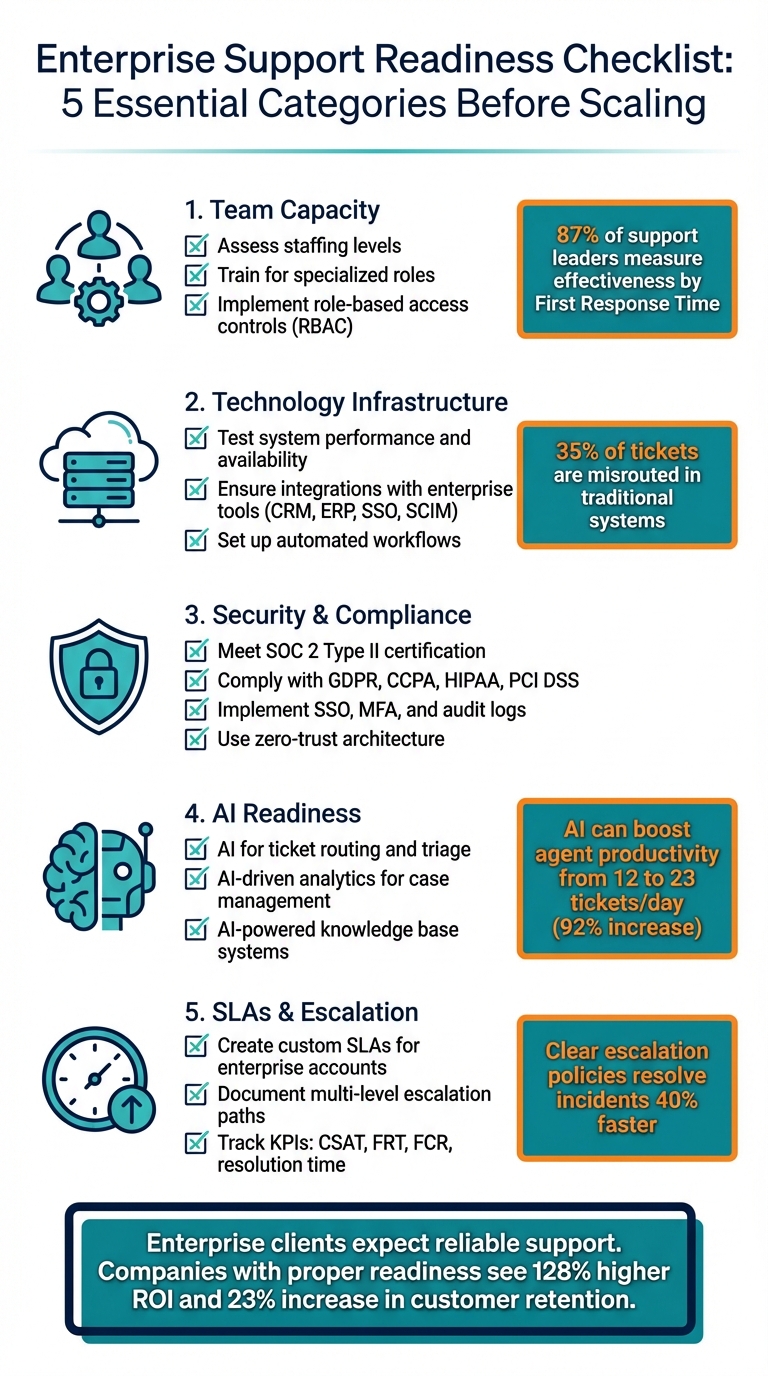
When evaluating a helpdesk, login and access control should be part of the checklist. Here is what matters:
- SSO and MFA support: Does the platform support SAML, OIDC, and enforcement of MFA?
- Granular permissions: Can you define custom roles or restrict access to specific inboxes?
- Audit logs: Are login events and permission changes recorded?
- AI agent controls: Can you limit who can edit Fin AI Agent behavior and training data?
- Developer access: Are API keys and webhooks managed separately from human logins?
Intercom, for example, provides these controls as part of its AI-first customer service platform. The Fin AI Agent is natively integrated, so access to AI configuration is managed through the same permission model as the helpdesk.
Setting up a secure and smooth login flow
Customer Support Login: Secure Access for AI-First Support Teams - Setting up a secure and smooth login flow.
Here is a practical checklist for support leaders.
- Enable SSO with your identity provider (Okta, Azure AD, Google Workspace, etc.).
- Require MFA for all users, especially admins.
- Define roles based on job function, not seniority.
- Review access quarterly and remove inactive accounts.
- Monitor login anomalies such as failed attempts or logins from new locations.
- Document the process so new agents can self-onboard.
For teams using Intercom, the Zapier integration guide shows how to automate user provisioning and support workflows, reducing manual admin work.
Common login problems and how to fix them
Even well-designed systems run into issues. Here are frequent problems and solutions.
- Forgotten passwords: Use self-service reset with email verification. SSO eliminates most password resets.
- Locked accounts: Implement a lockout policy with automatic unlock after a set period, or admin-initiated unlock.
- MFA device lost: Provide backup codes or a secondary authentication method.
- Access denied after role change: Ensure role changes propagate immediately and sessions are refreshed.
- SSO misconfiguration: Check attribute mappings and certificate expiry.
If your team is comparing platforms, the Intercom vs Talkdesk vs Helpshift comparison covers how login and security features differ across vendors.
Customer support login for end users
First viewport screenshot of Intercom's Solution Partner Program.
Not all logins are for agents. Many businesses offer a customer-facing support portal where end users can log in to view tickets, track orders, or manage subscriptions. This is sometimes called a customer support login or support portal login.
Key considerations for end-user logins:
- Frictionless access: Allow social login or magic links to reduce drop-off.
- Self-service: Provide a knowledge base and AI agent for common questions before requiring login.
- Security: Protect personal data with encryption and comply with privacy regulations.
- Integration: Sync portal logins with your helpdesk so agents see full context.
Intercom's platform supports both agent and end-user access, with the Fin AI Agent handling many queries before a login is even needed.
Related reading
- Intercom vs Genesys Cloud CX: AI Customer Experience 2026 - Compare Intercom and Genesys Cloud CX for AI-powered customer experience: AI resolution, voice, pricing models, time to value, and which platform fits your team.
Sources and further reading
- Oracle Support
- HCL Software - Sign In - Password. "Password hidden. Log in. Use external login. Don't have an account? Sign Up. Copyright © 2026 HCL Technologies Limited.
- Customer Connect - Child Support - CA.gov - Customer Connect is California Child Support's self-service platform ... Visit your profile to sign up. Account Login Help. It's my first time logging ...
FAQ
What is a customer support login?
A customer support login is the authentication process that allows agents, admins, or customers to access a support platform. It can be for internal helpdesk users or external customers using a self-service portal.
Why is SSO important for support teams?
SSO centralizes access control, reduces password-related support tickets, and makes it easier to revoke access when someone leaves the company. It also improves security by integrating with corporate identity providers.
How does Intercom handle login security?
Intercom supports SSO, MFA, and role-based permissions. Access to the Fin AI Agent and helpdesk settings is managed through the same permission model, so admins can control who configures AI behavior.
Can customers log in to Intercom?
Yes. Businesses can offer a customer-facing portal or use Intercom's Messenger, which may require login for certain actions. The Fin AI Agent can resolve many questions without requiring a login.
What should I do if an agent cannot log in?
Check the authentication method (SSO vs. password), verify MFA status, and confirm the user's role and permissions. If SSO is used, check the identity provider for errors.
Conclusion
Customer support login is more than a technical detail. It is the gateway to efficient, secure, and AI-augmented support. By choosing a platform with robust SSO, MFA, and granular permissions, and by following best practices for access management, you can protect customer data while empowering your team to resolve issues faster.
For a deeper look at how AI-first platforms compare, explore our top 10 agentic customer service platforms for ecommerce and see which ones align with your security and support goals.