Enjo Review 2026: AI Support Agent That Resolves End to End
Enjo Review 2026: AI Support Agent That Resolves Requests End to End
Most AI support tools can answer a question. Far fewer can finish the job. Enjo is built around that second bar: it reads your knowledge, takes authorized action in your connected systems, and escalates with context when it cannot resolve something. This review covers who it fits, what it does well, where it falls short, and how to decide whether it belongs in your stack.
What Enjo actually is
First viewport screenshot of Agentforce Pricing Breakdown.
Enjo is an AI customer service platform for B2B teams, sold to customer service, IT, and HR functions. It positions itself as agent-first rather than helpdesk-first: you configure the agent, connect your knowledge and systems, and the helpdesk becomes the exception path for escalations rather than the main pipeline.
The core claim is end-to-end resolution. In practice that means three capabilities working together:
- Grounded answers. Every response is generated from knowledge you configure and carries a citation, so the agent does not invent policy.
- Action execution. Through AI Actions, the agent can create, look up, and update records in systems like Jira, ServiceNow, and Salesforce, unlock accounts in Okta, and reach other tools through custom API and webhook actions.
- Contextual escalation. When confidence is low, the request lands in Inbox or your existing helpdesk with the full conversation, account history, and suggested next steps.
That combination is what separates a true AI agent from a chatbot with a knowledge base attached. If you want the broader category context, our B2B support strategy guide covers how AI agents, SLAs, and multi-channel helpdesks fit together.
Ideal users and use cases
Enjo fits teams where request volume is growing faster than headcount, and where a meaningful share of tickets are repetitive but require a system change rather than just an explanation.
Strong fits:
- Customer service teams in B2B software. Account questions, invoice lookups, configuration help, and access issues that currently route to a human who copies data between tools.
- IT and internal support. Password resets, access provisioning, and approval workflows in Slack or Microsoft Teams, with actions executed in Okta, Jira, or ServiceNow.
- Teams with scattered knowledge. If answers live across Confluence, SharePoint, Google Drive, Notion, and old tickets, a single indexed knowledge layer removes the contradiction problem where the agent says one thing and your help center says another.
- Organizations that want to prove value before committing. The free tier and same-day go-live reduce the cost of a pilot.
Weaker fits:
- Teams whose requests are almost entirely high-judgment, low-volume conversations with no repeatable structure.
- Buyers who want a full contact-center suite with voice routing, workforce management, and deep telephony out of the box.
- Organizations unwilling to grant write access to any backend system, since action execution is the main differentiator.
Strengths
Action execution is the real differentiator
Answering "what is your return window" is retrieval. Processing the return is resolution. Enjo's AI Actions and AI Flows handle multi-step sequences with logic, conditions, and defined fallbacks, built visually in Studio without code. That is the capability that changes how much of your queue actually closes.
One knowledge layer, less drift
The same index grounds the agent, the human agent workspace, and the requester-facing Help Center. This matters more than it sounds: when the AI, your reps, and your documentation pull from different sources, customers get three different answers and trust erodes.
Governance is treated as a first-class feature
Every response cites its source, Guardrails apply to inputs and outputs, and there is a searchable audit log across conversations and actions. Bulk Testing and a Playground let you validate accuracy and coverage before anything reaches a customer. For regulated or security-conscious buyers, this is often the difference between a pilot and a rollout.
Escalation carries the work already done
The human receives the conversation, account context, and suggested next steps inside the queue they already use. Poor handoffs are where AI support projects usually lose internal support; this design addresses that directly.
Published proof points
Enjo cites Aptean, an enterprise ERP provider with 3,500+ employees and 600+ support reps, going live with its first cohort in a single day and now resolving 300K+ cases a year, 37% fully by AI. It also cites 63% autonomous resolution at a 2,500-person autonomous vehicle company. Vendor-reported numbers deserve scrutiny, but they are specific and falsifiable, which is more than most competitors publish.
Limitations and honest trade-offs
Resolution rate depends on your knowledge quality. An agent grounded in outdated or contradictory documentation will confidently cite outdated or contradictory documentation. The citation feature makes this visible, but it does not fix it for you.
Write access is a real security conversation. Connecting Okta, Salesforce, and ServiceNow so an agent can act is powerful and also the part your security team will scrutinize hardest. Budget time for that review.
Per-reply pricing scales with success. More resolution means more billable replies. That is fairer than paying per seat for failures, but it means forecasting requires an honest estimate of volume, not just headcount.
Not a full contact-center replacement. If you need voice automation, complex routing, or workforce management, Enjo is a layer, not the whole stack.
Enterprise pricing is opaque. The free and Starter tiers are published; Enterprise is custom on yearly billing, so larger buyers will need a sales conversation to get real numbers.
Pricing signals
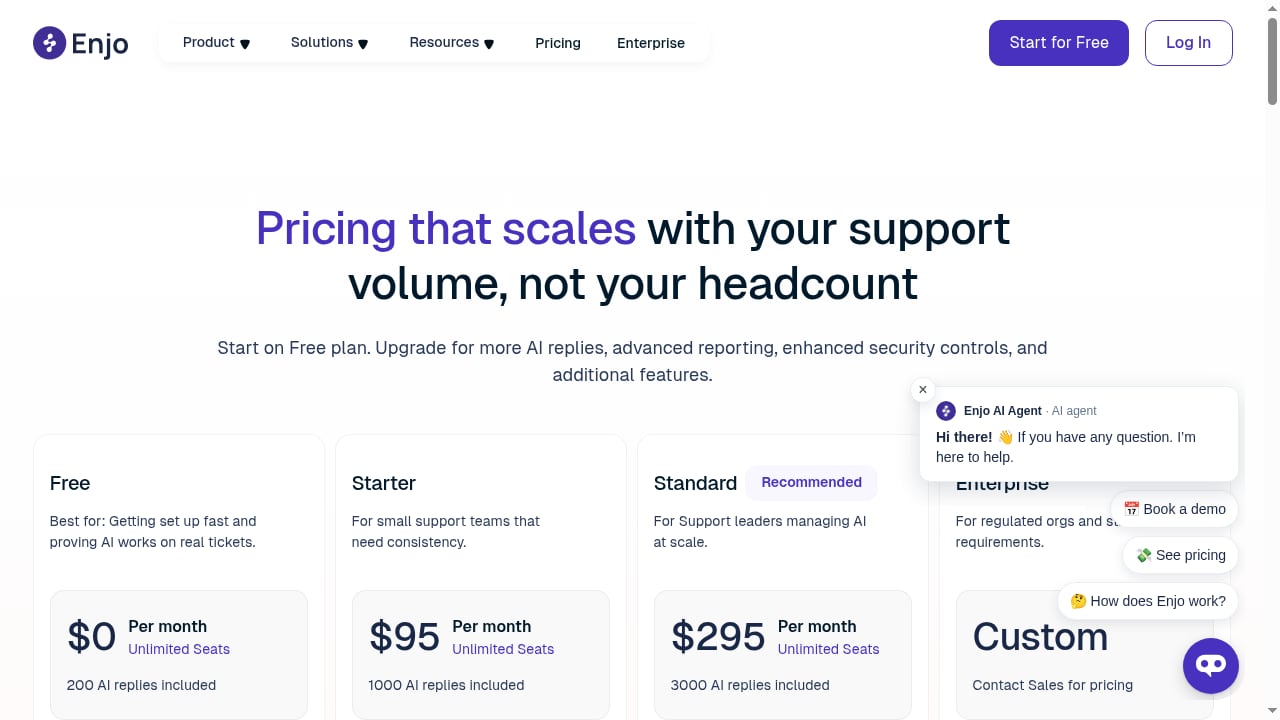
First viewport screenshot of Enjo Pricing | Free & Scalable AI Support Automation Plans.
Enjo publishes a straightforward ladder:
- Free: 200 AI replies per month, unlimited human agent seats, unlimited AI agents, unlimited channels, plus Inbox, Help Center, and Insights. No credit card required.
- Starter: $95/month for 1,000 replies.
- Standard: $295/month for 3,000 replies.
- Additional replies: $0.05 each.
- Enterprise: custom, billed yearly.
The structural choice worth noting is unlimited human seats with metered AI usage. For a 10-person team handling 3,000 conversations a month, that model can undercut platforms that charge per seat and then again per AI resolution. The trade-off is that your bill tracks automation volume, so a successful deployment costs more than a struggling one.
If you are comparing this model against outcome-based and per-seat alternatives, our Intercom vs Genesys Cloud CX vs Front comparison breaks down how the major pricing structures differ.
Setup and time to value
First viewport screenshot of Enjo | AI Support Agent That Resolves Requests End to End.
Enjo's onboarding sequence is deliberately short:
- Connect your knowledge. Point it at Confluence, SharePoint, Google Drive, Notion, past tickets, or your website, or use Enjo's own knowledge system. One index, synced daily.
- Connect your systems. Authorize the actions the agent is allowed to take, scoped by policy.
- Test before launch. Use Playground to sandbox prompts, tools, and policies, and Bulk Testing to validate accuracy and coverage at scale.
- Go live. Requests arrive via Slack, Microsoft Teams, web chat, Help Center, or Slack Connect shared channels.
- Measure and expand. Insights report resolution rate, time saved, satisfaction, and cost per request.
The vendor claims same-day go-live, and the Aptean reference supports a fast first cohort. Realistically, the knowledge connection is quick; the action authorization and security review are what determine your actual timeline. Teams that treat step two as a formality will be the ones surprised in week three.
How Enjo compares to alternatives
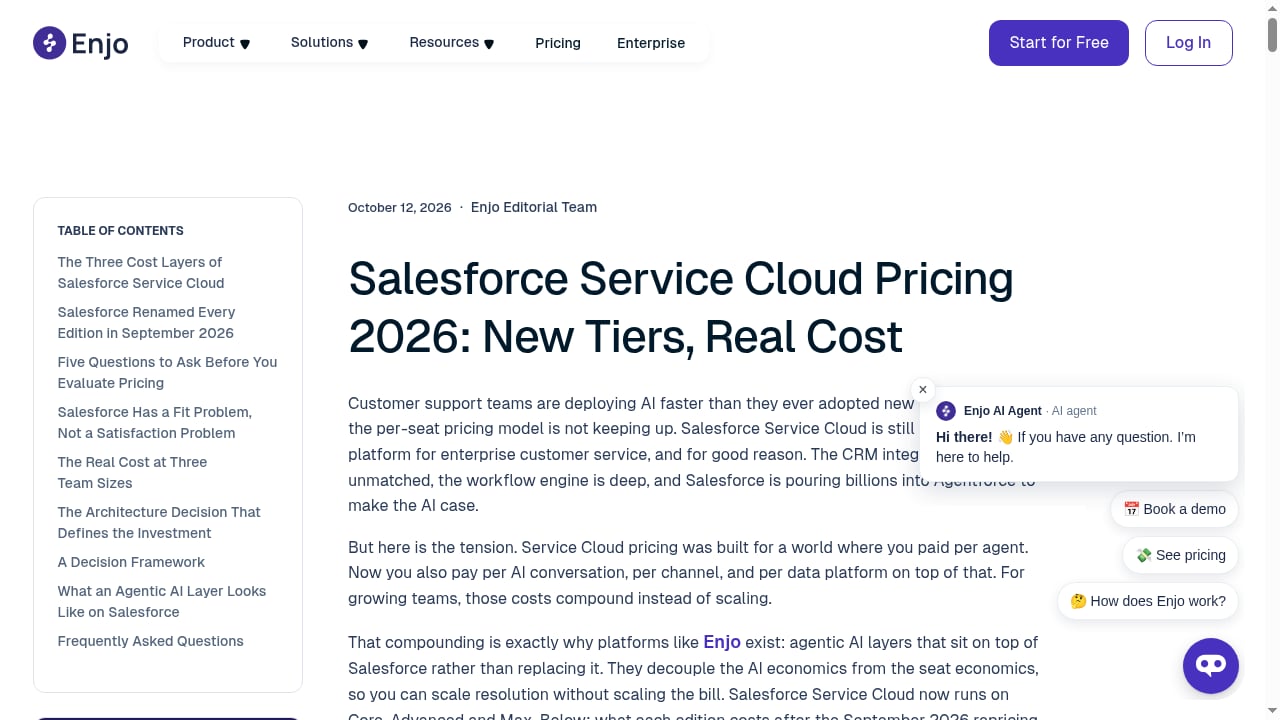
First viewport screenshot of Salesforce Service Cloud Pricing 2026: New Tiers, Real Cost.
| Dimension | Enjo | Fin (Intercom) | Zendesk AI Agents |
|---|---|---|---|
| Primary model | Agent-first, helpdesk for escalations | AI agent layered onto your existing helpdesk | AI add-on inside Zendesk |
| Action execution | AI Actions across Jira, ServiceNow, Salesforce, Okta, custom APIs | Procedures with configured handoffs | Within Zendesk workflows |
| Pricing structure | Per AI reply, unlimited human seats | Per outcome | Per agent per month |
| Free tier | 200 replies/month | No | No |
| Best fit | Teams wanting resolution plus action, multi-system | Intercom or mixed-helpdesk teams | Zendesk-standardized teams |
Two practical takeaways. First, if your knowledge and actions are concentrated in one ecosystem, a native add-on may be simpler. Second, if your requests cross several systems and you want a single agent to handle them, an agent-first platform avoids the per-seat-plus-per-resolution stacking. For a deeper look at the agent-first approach in a different context, see our Salesforce Agentic CRM review.
Decision criteria: should you buy Enjo?
Work through these questions before a pilot:
- What share of your queue needs an action, not just an answer? If it is under 20%, the action layer is not your bottleneck and simpler tools may suffice.
- How many systems does a single request touch? Multi-system requests are where agent-first architecture earns its keep.
- Can you grant scoped write access? If security will not approve any write path, you are buying an expensive FAQ.
- Is your knowledge base trustworthy? Audit it first. The agent will faithfully reproduce whatever you feed it.
- Can you forecast reply volume? The pricing model rewards accuracy here.
- Do you need contact-center depth? If yes, plan for Enjo as a layer alongside your existing stack.
If most answers point toward multi-system, action-heavy, high-volume requests, Enjo is a strong candidate. If they point toward single-system, low-volume, judgment-heavy work, start with a lighter tool and revisit.
Related reading
- How to Use Intercom: Setup, Fin AI Agent & Best Practices - Learn how to use Intercom step by step: install the Messenger, connect channels, build your knowledge base, launch Fin AI Agent, and measure results.
Sources and further reading
- AI Chatbot for Customer Service: 10 Tools Ranked (2026) - Compare 10 AI chatbots for customer service on what each one resolves, what it costs, and what its escalation carries. Start free at enjo.ai.
- Enjo | AI Support Agent That Resolves Requests End to End - Enjo resolves support requests end to end, grounded in your knowledge, taking action in your systems. Start free, no credit card, live the same day.
- 8 best AI agents for customer service in 2026 - 8 best AI agents for customer service and customer support in 2026 are Kore.ai, Zendesk, Cognigy, Omilia, Soundhound, Sierra AI, and Yellow.ai. See features, pro & cons.
FAQ
Is Enjo a chatbot or an AI agent? It is an AI agent. The distinction is action: it can execute authorized operations in connected systems, not just retrieve and reply.
Does Enjo have a free plan? Yes. The free tier includes 200 AI replies per month with unlimited human agent seats, unlimited AI agents, and unlimited channels, with no credit card required.
How much does Enjo cost? Starter is $95/month for 1,000 replies, Standard is $295/month for 3,000 replies, and additional replies cost $0.05 each. Enterprise pricing is custom on yearly billing.
What systems does Enjo integrate with? Salesforce, Zendesk, Jira Service Management, ServiceNow, Freshservice, Slack, Microsoft Teams, Confluence, Notion, SharePoint, Google Drive, Okta, and Entra ID, plus custom API and webhook actions.
What happens when Enjo cannot resolve a request? It escalates to Inbox or your existing helpdesk with the full conversation, account context, and suggested next steps.
Is Enjo secure enough for enterprise use? Enjo states SOC 2 Type II and ISO 27001 certification, GDPR compliance, TLS 1.2+ in transit, AES-256 at rest, guardrails, audit logs, and 99.9% uptime over seven years. Verify current certifications directly during procurement.
How long does setup take? The vendor claims same-day go-live, and at least one enterprise reference brought its first cohort live in a day. Your timeline will depend mainly on knowledge readiness and security approval for write actions.
Conclusion
Enjo is a credible answer to the question most AI support vendors avoid: how many requests does the agent actually finish? Its strengths are action execution, a single grounded knowledge layer, and escalations that arrive with context. Its limitations are the ones that come with that design: your knowledge quality caps performance, write access needs real security review, and per-reply pricing scales with your success.
For B2B teams with multi-system, action-heavy request volume, it is worth a serious pilot, and the free tier makes that decision cheap to test. For teams with mostly single-system, judgment-heavy conversations, the action layer may be more capability than the problem requires. Start with the queue analysis, not the demo.