Automate Accounts Receivable: 2026 Guide to Faster Cash Flow

Automate Accounts Receivable: A Practical Guide for 2026
Accounts receivable (AR) automation replaces manual invoicing, payment chasing, and reconciliation with software that handles the repetitive work end to end. The payoff is measurable: businesses with automated AR report an average days sales outstanding (DSO) of 40 days versus 47 days for those still working manually, according to AFP's AR automation overview. This guide explains what to automate, how to implement it, and how to choose tools that fit your finance stack.
What accounts receivable automation actually covers

Automate Accounts Receivable: 2026 Guide to Faster Cash Flow - What accounts receivable automation actually covers.
AR automation is not a single feature. It is a set of connected workflows that move an invoice from creation to cash-in-bank with minimal human touch. The core components are:
- Invoice generation and delivery: Pull order or contract data from your ERP or CRM, generate a compliant invoice, and send it by email or customer portal.
- Payment reminders: Schedule automated nudges before and after due dates, with escalation rules for overdue accounts.
- Payment matching and reconciliation: Match incoming payments to open invoices, including partial payments and short-pays.
- Collections workflows: Route exceptions to the right person, log every touchpoint, and trigger next actions.
- Reporting and analytics: Track DSO, aging buckets, promise-to-pay rates, and customer payment behavior in real time.
Stripe's explanation of AR automation frames this as a shift from a manual, error-prone process to a scalable operation. In practice, that means fewer keystrokes, fewer disputes, and a clearer audit trail.
Why automate accounts receivable now
Automate Accounts Receivable: 2026 Guide to Faster Cash Flow - Why automate accounts receivable now.
The business case rests on four outcomes that finance leaders care about:
- Faster cash conversion. Invoices go out sooner and reminders arrive on schedule, so customers pay sooner. AFP reports that 87% of firms with automated AR say process speed improved.
- Lower operating cost. Manual remittance handling is expensive. The World Bank estimates the average remittance cost at 6.49% of the amount paid; automation reduces labor and overhead in that chain.
- Fewer errors and disputes. Automated matching eliminates transcription mistakes that delay payment and frustrate customers.
- Better customer experience. Self-service payment links, clear invoice status, and accurate statements reduce friction. AFP notes that 75% of firms with automated AR report improved customer experience.
How AR automation works step by step
Automate Accounts Receivable: 2026 Guide to Faster Cash Flow - How AR automation works step by step.
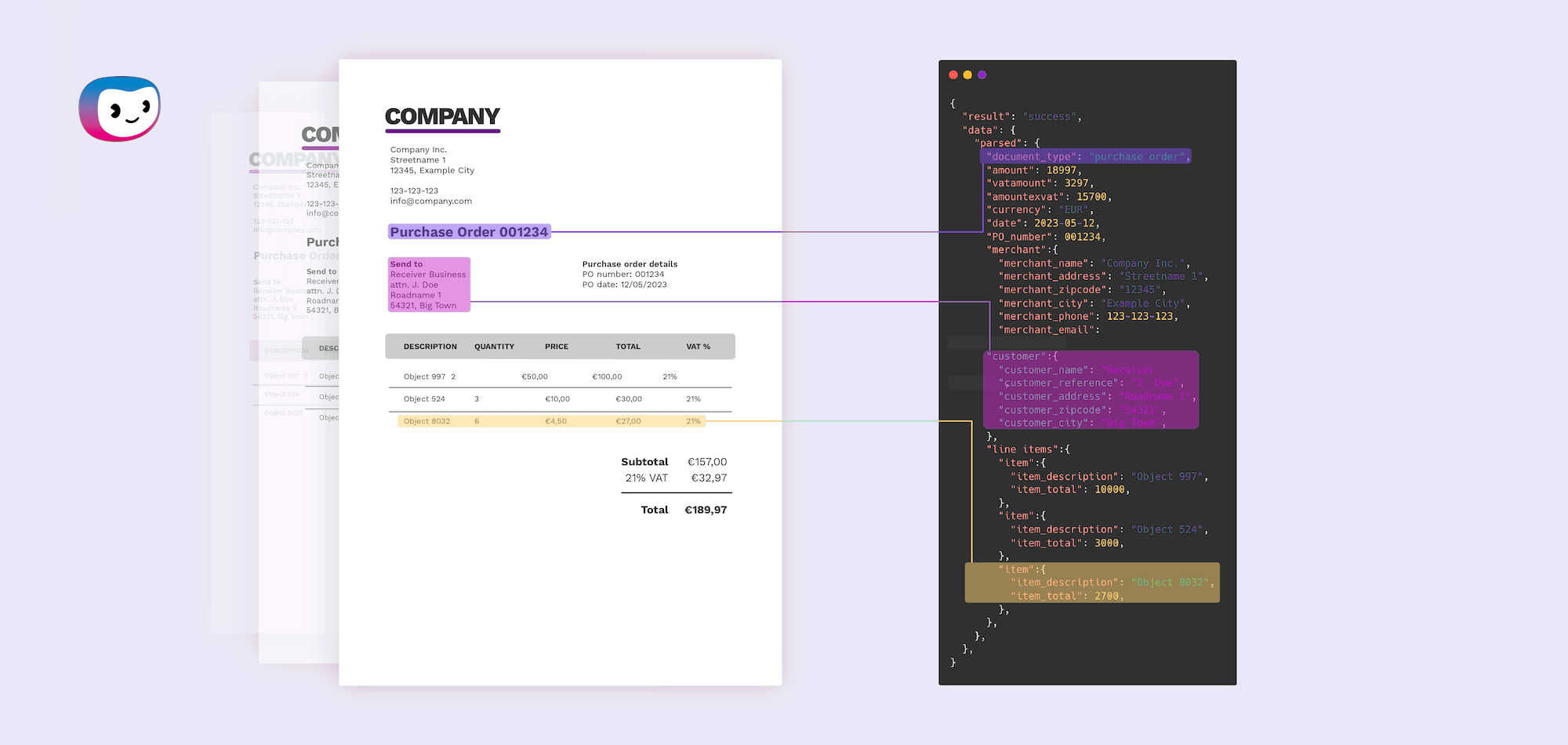
A typical automated workflow looks like this:
- Order or contract triggers an invoice. Data flows from your order management or CRM system into the billing engine.
- Invoice is validated and delivered. Tax rules, PO numbers, and customer details are checked before sending.
- Customer receives payment options. Click-to-pay links, ACH, card, or bank transfer, depending on region and preference.
- Reminders run on a schedule. Pre-due, due-date, and overdue messages go out automatically, with tone and timing you configure.
- Payments are matched. The system reconciles incoming funds against open invoices and flags exceptions.
- Exceptions route to humans. Short-pays, disputes, and credit issues go to a collections queue with full context.
- Dashboards update in real time. DSO, aging, and cash forecasts refresh as payments land.
Implementation: a phased approach that works

Automate Accounts Receivable: 2026 Guide to Faster Cash Flow - Implementation: a phased approach that works.
Big-bang AR transformations fail more often than phased ones. A practical sequence:
Phase 1: Digitize the invoice
Start by replacing PDF-by-email with a structured invoice and a payment link. This alone shortens the payment cycle because customers can act immediately.
Phase 2: Automate reminders
Set up a reminder cadence: 7 days before due, on due date, 3 days after, 7 days after, and 14 days after. Personalize by customer segment. High-value accounts may warrant a phone call instead of an email.
Phase 3: Automate reconciliation
Connect your bank feed and let the system match payments. Focus your team on exceptions rather than data entry. This is where most of the labor savings come from.
Phase 4: Add collections intelligence
Use payment history to prioritize outreach. Customers who consistently pay late get earlier and firmer reminders; reliable payers get lighter touches.
NetSuite's AR automation guide emphasizes consulting stakeholders and explaining goals before switching systems. That change-management step is often the difference between adoption and abandonment.
Choosing AR automation software
Not every tool fits every business. Use this comparison framework:
| Requirement | What to look for |
|---|---|
| Invoice volume | Per-invoice pricing vs. flat monthly fee |
| Payment methods | ACH, card, wire, and regional methods |
| ERP integration | Native connectors vs. API-only |
| Collections depth | Basic reminders vs. workflow automation |
| Reporting | Standard aging vs. custom DSO dashboards |
| Customer portal | Branded self-service vs. generic link |
If you already run a customer service platform, check whether it can handle billing-related conversations. Many support teams field "where is my invoice?" and "can I get a copy?" questions. An AI-first helpdesk like Intercom can deflect those inquiries with a Fin AI Agent and a Help Center, freeing finance staff to focus on true collections issues. For a broader view of how support platforms compare on AI and pricing, see our Intercom vs Dixa vs eesel AI comparison.
Common pitfalls and how to avoid them
- Automating a broken process. Map the current workflow first. Automation amplifies whatever you already have, including bad habits.
- Ignoring customer preferences. Some customers still want a phone call. Build escalation paths that respect that.
- Over-automating collections. Aggressive reminders can damage relationships. Segment by customer value and payment history.
- Neglecting data quality. Clean customer master data before go-live. Bad addresses and wrong contacts undermine every downstream step.
- Forgetting compliance. E-invoicing rules, data protection, and tax requirements vary by jurisdiction. Choose tools that archive and audit automatically.
Measuring success
Track these metrics before and after automation:
- DSO: The headline number. Aim for a 5-10 day reduction in the first year.
- Aging buckets: Watch the 60+ and 90+ day buckets shrink.
- Cost per invoice: Should fall as volume grows.
- Exception rate: Should decline as matching improves.
- Customer satisfaction: Survey billing experience, not just product experience.
Related reading
- Intercom vs Nextiva: AI Customer Service Compared (2026) - Intercom vs Nextiva in 2026: compare Fin AI Agent resolution, helpdesk depth, voice and contact center features, AI pricing, and which platform fits your team.
- Olark Review 2026: Pricing, AI Chat, Pros & Limits - Hands-on Olark review for 2026: real pricing, PowerUps costs, AI chatbot and handoff, WCAG accessibility, setup, limitations, and who should buy it.
- Healthcare Patient Chatbot: Safe Use, Benefits & Platforms - Learn how healthcare patient chatbots improve triage, scheduling, and follow-up, plus safety, compliance, and platform selection tips for 2026.
FAQ
What is accounts receivable automation?
It is the use of software to handle invoice creation, delivery, reminders, payment matching, and collections reporting with minimal manual intervention.
How long does implementation take?
A phased rollout typically takes 4-12 weeks, depending on ERP integration complexity and the number of customer segments.
Will AR automation replace my collections team?
No. It replaces repetitive tasks so your team can focus on disputes, negotiations, and complex accounts. AFP's research notes that people are still needed for emotional connections and complex issues.
What is a good DSO target?
It varies by industry, but automated firms average around 40 days. Compare against your own baseline and industry peers rather than a universal number.
Can small businesses automate AR?
Yes. Many tools offer starter plans, and you can begin with just invoicing and reminders before adding reconciliation.
Conclusion
Automating accounts receivable is less about buying software and more about redesigning a workflow. Start with invoicing and reminders, prove the value, then expand into reconciliation and collections intelligence. The businesses that do this well collect faster, spend less on processing, and give customers a better payment experience. For a deeper look at how AI-powered support can complement your AR stack, explore our multi-channel customer support strategy guide.