Olark Review 2026: Pricing, AI Chat, Pros & Limits
Olark Review 2026: Pricing, AI Chat, Pros and Limits
Olark has been selling live chat since 2009, which makes it one of the few independent survivors of the first chat-widget wave. That longevity cuts both ways: the product is stable, accessible, and genuinely quick to deploy, but it is not the AI-first platform that newer buyers often expect. This review breaks down what Olark actually costs in 2026, where its AI and handoff features fit, and which teams should look elsewhere.
What Olark is and who it is built for

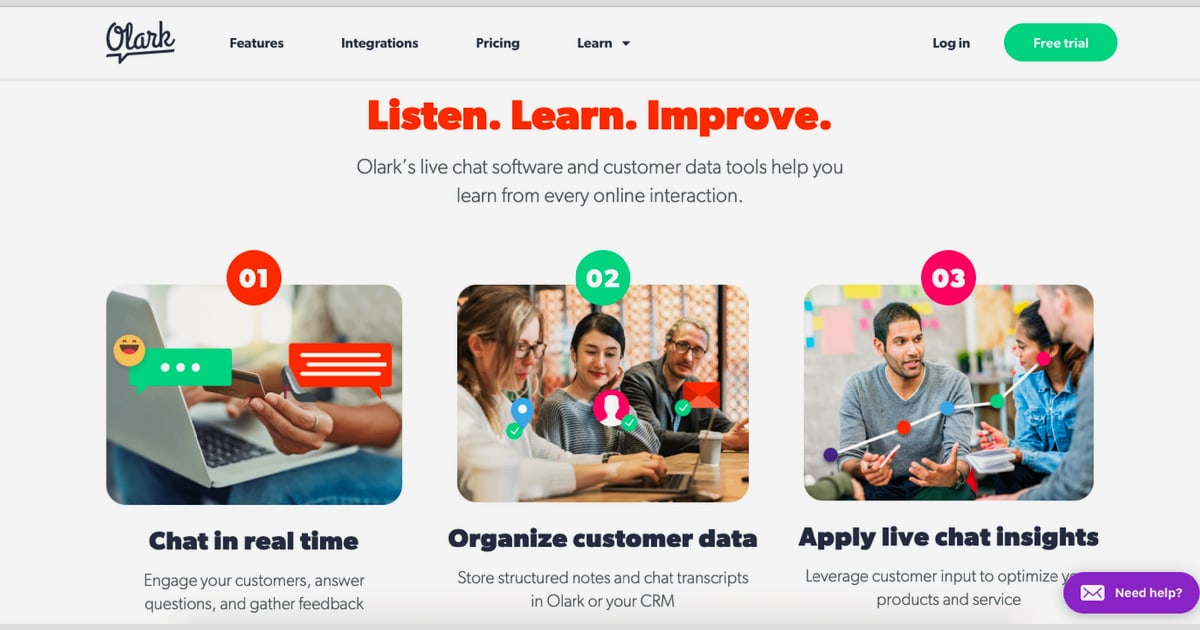
Olark product interface.
Olark is a live chat and AI chatbot platform for connecting with website visitors in real time. It is used for sales conversations, lead capture, and front-line customer support. The company reports more than 10,000 paying customers worldwide and runs as a distributed, B-Corp-certified team with a stated focus on accessibility and inclusive design.
The product fits three broad profiles:
- Small support and sales teams that want a chat widget live on the site today, not after a two-week implementation project.
- Accessibility-conscious organizations that need a chat tool certified to WCAG 2.1 AA, which is rare in this category.
- E-commerce and lead-gen sites that rely on targeted greetings and offline messaging to capture demand outside business hours.
If you need a full omnichannel helpdesk with ticketing, voice, and deep workflow automation on day one, Olark is a narrower tool than that. It is strongest as a focused chat layer, not as a replacement for a complete service platform.
Pricing signals: what you actually pay

Olark product interface.
Olark's public pricing looks simple, but the real cost depends on how many PowerUps you stack. Based on published plan information and third-party pricing breakdowns:
| Plan | Price | What you get |
|---|---|---|
| Free | $0 | 1 agent, 20 chats per month, no reports, automations, or integrations |
| Standard | $29 per agent/month (monthly billing) | Unlimited chats and domains, customizable chatbox, reporting, targeted chat, agent groups, integrations |
| Pro | Custom pricing | Everything in Standard plus AI chatbots, all PowerUps, dedicated account manager, live training, priority support |
Longer commitments reduce the per-agent rate: roughly $23 per agent/month on annual billing and $19 per agent/month on a two-year prepay. A 14-day free trial requires no credit card, and a 60-day refund window applies if the service was not used.
PowerUps are the part that surprises buyers. These add-ons are priced individually at roughly $29 to $99 per month regardless of team size:
- Live Chat Translation: about $29/month
- Non-Branded Chatbox: about $59/month
- Visitor Insights (social, or social plus professional): about $59–$99/month
- Visitor Cobrowsing: about $99/month
Two or three PowerUps can double a small team's bill. If you want several of them, the Pro plan, which bundles all PowerUps with AI automation, is usually the more rational purchase. Note also that AI chatbot functionality sits behind Pro, not Standard, so budget accordingly if automation is a requirement.
Setup and day-to-day use
Setup is one of Olark's clearest strengths. You install a JavaScript snippet on your site, customize the chatbox colors and positioning to match your brand, and start chatting. Reviewers across G2 and independent testing consistently highlight how fast teams get to a first live conversation, and there is no complex onboarding sequence to survive.
The day-to-day feature set covers the essentials well:
- Real-time chat with file sharing (JPG, PNG, PDF, and more), chat transfers between agents, and visitor tracking that shows location and current page.
- Automation including behavior-based greetings, custom messages triggered by visitor actions, and routing to the right department.
- Offline messaging so after-hours visitors still become leads.
- Transcript archive that is searchable and sortable, useful for QA, training, and spotting recurring product issues.
- Team management with real-time agent activity reports, chat limits that set agents to away at capacity, and round-robin or all-agent routing.
- Shortcuts for shared canned replies that keep answers consistent.
For teams moving from email-only support, this is enough to run a credible chat operation without extra tooling. For teams already running a mature helpdesk, Olark works best as a front-end chat layer feeding conversations into your existing system.
AI chatbot and human handoff
Olark's AI positioning is deliberately conservative: the company describes it as human-friendly AI that augments agents rather than replacing them. In practice that means AI handles initial triage and common questions, then hands qualified conversations to a human.
The smart handoff is the feature worth evaluating closely. Rather than letting the bot attempt everything, Olark routes to a person when intent or value signals warrant it, which keeps sales teams focused on qualified leads instead of low-intent browsing traffic. Supporting this, Olark syncs knowledge automatically from your website and CRM, so the assistant answers from your actual content rather than a generic model.
Two caveats matter here. First, AI capabilities are tied to the Pro plan, so the entry price for automation is higher than the headline $29 figure suggests. Second, if your priority is an autonomous AI agent that resolves a high percentage of tickets without any human involvement, Olark is not built for that extreme; it is built for assisted, handoff-centered automation. Teams comparing heavier AI-first options should weigh that difference carefully, as covered in comparisons like Decagon Review 2026 and Intercom vs Ultimate AI vs Dixa.
Accessibility and integrations
Accessibility is Olark's most defensible differentiator. The platform is certified to WCAG 2.1 AA, which matters for public sector, education, healthcare, and any organization with procurement or legal accessibility requirements. Very few live chat vendors can make that claim, and it is often the deciding factor in a shortlist.
Integrations are broad rather than deep: Olark offers a library of 100+ integrations covering tools such as Slack, HubSpot, Salesforce, Zendesk, and Mailchimp. For most small and mid-sized teams this is sufficient. If your workflow depends on unusual internal systems, verify the specific integration before committing.
Limitations to weigh before buying
- AI is gated to Pro. Standard plan buyers get automation rules, not an AI assistant.
- PowerUps add up. Flat per-add-on pricing is friendly for large teams and expensive for small ones.
- Support tiers differ. Phone and video support are reserved for Pro; lower tiers rely on other channels.
- No refunds on early cancellation of one- or two-year subscriptions, though the 60-day unused-service refund helps.
- Free plan is a trial, not a plan. One agent and 20 chats per month will not run a real support operation.
- Collaboration is not its strongest suit. Independent testing has flagged collaboration and occasional reliability friction, so heavy multi-team workflows deserve a pilot test.
- Narrower than an omnichannel suite. If you need chat, email, social, and voice unified with AI across all of them, a broader platform is a better fit, as outlined in Multi-Channel Customer Support: 2026 Strategy & Tools.
How Olark compares to alternatives

Olark product interface.
| If you need... | Olark fit | Better direction |
|---|---|---|
| Fast, accessible live chat for a small team | Strong | Olark Standard |
| AI chatbot with human handoff | Moderate | Olark Pro, or an AI-first platform |
| High-volume autonomous AI resolution | Weak | Dedicated AI agent platforms |
| Unified omnichannel helpdesk | Weak | Full-suite service platforms |
| No-code AI agent building on a budget | Weak | Tools like WotNot Review 2026 |
| Regulated or healthcare chat use | Strong on accessibility | Validate compliance needs separately, see Healthcare Patient Chatbot |
Decision criteria: should you choose Olark?

Olark product interface.
Choose Olark if all of the following are true:
- You want a chat widget live within days, not weeks.
- Accessibility certification is a requirement, not a nice-to-have.
- Your team is small enough that per-agent pricing stays predictable.
- You need assisted AI with clean human handoff, not full autonomy.
- One or two PowerUps cover your needs, or Pro pricing is acceptable.
Look elsewhere if you need autonomous AI resolution at scale, a unified omnichannel inbox, or advanced ticketing and workflow automation as core requirements. In those cases, run a parallel pilot against an AI-first or full-suite platform before signing an annual Olark contract.
A practical evaluation path: start the 14-day trial, install the snippet on your highest-traffic page, configure two targeted greetings and one offline message, then measure chat volume, response time, and how many conversations a human actually needs to take. That data will tell you more than any feature list.
Related reading
- Intercom vs ClearFeed: AI Support Platform Comparison 2026 - Intercom vs ClearFeed in 2026: compare Fin AI Agent, Slack-native helpdesk features, pricing, and which platform fits your support team.
Sources and further reading
- I tested Olark, a decent, if somewhat unreliable, live chat platform - Olark is a decent, if somewhat unreliable, live chat offering
- Olark Reviews 2026: Details, Pricing, & Features - G2 - Users consistently praise the ease of use and simple setup of Olark, highlighting how quickly teams can start chatting with customers. The intuitive interface ...
- Olark Review & Pricing Guide 2026: Is It Worth It? - Confused by Olark’s “simple” pricing and what you actually get for it? This breakdown shows where add-ons, billing tiers, and plan limits change the math, and when upgrading or switching to a more modern alternative makes more sense.
FAQ
Is Olark free?
There is a free tier, but it is limited to one agent and 20 chats per month with no reporting, automations, or integrations. Treat it as a post-trial fallback rather than a working plan. The 14-day trial gives full feature access without a credit card.
How much does Olark cost per month?
The Standard plan is $29 per agent per month on monthly billing, dropping to about $23 on annual billing and $19 on a two-year prepay. Pro is custom-priced and includes AI chatbots and all PowerUps.
Does Olark have an AI chatbot?
Yes, but it is part of the Pro plan. It handles triage and common questions, syncs knowledge from your website and CRM, and hands qualified conversations to human agents.
Is Olark accessible?
Olark is certified to WCAG 2.1 AA, which is uncommon among live chat vendors and a major reason accessibility-focused organizations shortlist it.
What are Olark PowerUps?
Optional add-ons priced at roughly $29 to $99 per month each, regardless of team size. Examples include live chat translation, non-branded chatbox, visitor insights, and visitor cobrowsing.
Who is Olark best for?
Small to mid-sized support and sales teams, e-commerce sites, and accessibility-conscious organizations that want reliable human chat with optional assisted AI.
Who should not use Olark?
Teams needing autonomous AI resolution, unified omnichannel support, or deep ticketing and workflow automation will likely outgrow Olark's scope and should evaluate AI-first or full-suite platforms.
Conclusion
Olark earns its place as a dependable, accessible, fast-to-deploy live chat tool with a clear human-first philosophy. Its pricing is transparent at the entry level but becomes less predictable once AI and PowerUps enter the picture. For small teams and accessibility-driven buyers, it is a solid, low-risk choice. For organizations chasing autonomous AI resolution or a unified service suite, it is a stepping stone rather than a destination. Test it against your real conversation volume before committing to a multi-year discount.