Help Scout Review 2026: Pricing, Features, and Verdict

Help Scout Review 2026: Pricing, Features, and Who Should Buy It
Help Scout has built a reputation as the customer service platform for teams that refuse to treat people like ticket numbers. While competitors chase automation-first workflows, Help Scout takes an email-first, human-centered approach — then layers AI on top in ways that feel helpful rather than intrusive. This review examines what Help Scout actually delivers in 2026, where it shines, where it falls short, and whether it deserves a spot in your support stack.
What Is Help Scout?
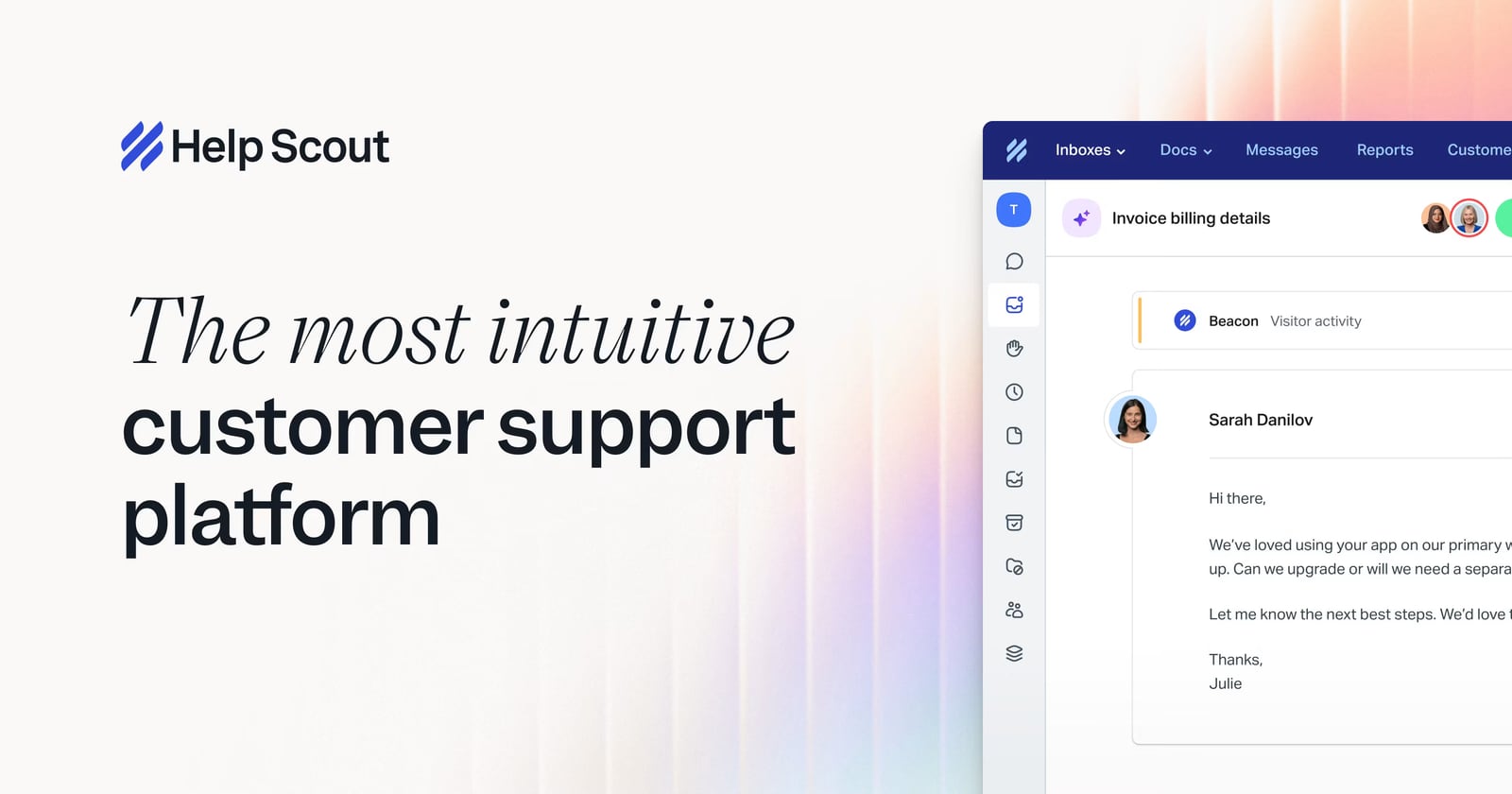
Help Scout product interface.
Help Scout is a cloud-based customer service platform built around a shared inbox, knowledge base, and live chat. It serves startups, growing businesses, and enterprise teams that want structured support without the complexity and cost of platforms like Zendesk or Intercom.
The core philosophy is simple: customer conversations should feel like email, not like a ticketing system. When a customer writes in, they see a normal email thread — no ticket IDs, no portal logins, no "Your request #48291 has been received" auto-replies. Behind the scenes, your team gets assignment, collision detection, internal notes, saved replies, and reporting.
Help Scout also includes a no-code knowledge base, Beacon live chat widget, Instagram and Messenger integration, WhatsApp messaging, SLA policies, workflows, and a growing set of AI features including AI Inbox assistant and AI Answers for autonomous resolution.
Who Is Help Scout For?

Help Scout product interface.
Help Scout fits a specific profile better than a generic one. It is not trying to be everything to every support team.
Ideal Users
- Small to mid-sized businesses that want professional support tooling without an enterprise price tag
- Customer-centric brands where personal, human responses are part of the product experience
- Teams outgrowing a shared Gmail or Outlook inbox and needing assignment, collision detection, and reporting
- Ecommerce and SaaS companies that want live chat, email, and self-service in one place
- Teams switching from Zendesk or Intercom because of cost, complexity, or a desire for a less robotic customer experience
Less Ideal For
- Enterprise call centers needing deep telephony, workforce management, and advanced IVR — Help Scout is not a contact center platform
- Teams that want aggressive AI-first automation where bots handle most conversations before a human ever sees them
- Organizations requiring extensive custom reporting or on-premise deployment
If you are evaluating Help Scout against other platforms, our Intercom vs Gorgias comparison and Talkdesk review offer useful contrast for different buyer profiles.
Key Features Deep Dive
Shared Inbox
The shared inbox is Help Scout's foundation. Multiple team members can work the same mailbox without stepping on each other. Collision detection alerts you when someone else is already viewing or replying to a conversation. You can see teammates' drafts in real time and even jump in to edit before sending.
Auto-save protects against browser crashes mid-reply. The "/" quick menu works like Slack, letting you insert saved replies, emoji, formatting, or internal notes without memorizing shortcuts. Keyboard shortcuts cover most actions — press "S" then "C" to close a conversation and move to the next.
This collaborative layer is where Help Scout separates itself from a basic shared Gmail label. It feels like a thoughtfully designed email client for teams, not a ticket queue with a skin.
Live Chat with Honest Availability
Help Scout's Beacon widget takes an unusual stance on live chat: it only shows chat as available when a human is actually there. If your team steps away, Beacon automatically marks you unavailable rather than leaving customers staring at a bot that promises a response that never comes.
This expectation matching is a small detail with outsized impact. Many live chat tools create frustration by implying immediate human availability when none exists. Help Scout defaults to email-first communication, with live chat as a bonus when someone is genuinely present.
Knowledge Base
The knowledge base is no-code and integrates directly with Beacon. Customers can search articles from the chat widget before escalating to a human. Articles support rich formatting, and you can control visibility for different audiences.
For teams handling repetitive questions, a well-built knowledge base paired with Beacon deflection can meaningfully reduce inbox volume without forcing customers through a frustrating bot flow.
AI Features: Human-First Automation
Help Scout's AI approach reflects its brand. Rather than replacing humans, the AI features aim to make human agents faster and more consistent.
AI Summarize condenses long conversation threads so a teammate jumping in can get up to speed without reading every message. This is genuinely useful for teams that collaborate across tickets.
AI Assist brings ChatGPT-style drafting directly into the compose window. Agents can generate, refine, or adjust tone on responses before sending.
AI Answers goes further, using your knowledge base to resolve customer questions autonomously. Help Scout reports that eCatholic handles 15% of conversations automatically with AI Answers. The key difference from competitors: when AI Answers cannot resolve something confidently, the conversation routes to a human seamlessly rather than trapping the customer in a bot loop.
AI Inbox Assistant helps with triage, tagging, and suggested actions based on conversation content.
This measured approach will appeal to teams that find Intercom's aggressive AI push off-putting. Help Scout treats AI as an assistant, not a replacement.
Workflows and Automation
Help Scout's workflow engine supports both automatic and manual triggers. Automatic workflows fire based on conditions like due dates, status changes, or custom field values. Manual workflows let agents trigger multi-step actions with one click — for example, a "snooze" workflow that tags the conversation, sets status to pending, and pushes the due date out a week.
The API and webhook support extend this further. Teams have built integrations with Asana, Copper, and other tools using Help Scout's API plus Zapier. The native Slack integration pulls conversation previews into channels, with separate channel mapping per mailbox.
Integrations
Help Scout connects with over 100 apps, including Salesforce, Jira, HubSpot, Aircall, Slack, and Zapier. The API is flexible enough for custom workflows. For most small and mid-size teams, the native integrations plus Zapier cover the common use cases without needing developer resources.
Pricing Signals
Help Scout positions itself as affordable relative to Zendesk and Intercom. The platform offers a free tier for small teams, with paid plans scaling up to Pro.
While exact pricing changes over time, the structural signal is clear: Help Scout costs meaningfully less than enterprise help desk platforms while delivering the core features most growing teams actually need. The free tier makes it low-risk to test with a small team before committing.
For teams evaluating total cost, our guide to AI chatbot pricing with live chat included breaks down how different platforms bundle AI and chat features into their plans.
Setup and Onboarding
Help Scout's setup is straightforward. You create mailboxes, connect email addresses (Gmail, Outlook, or custom domains via forwarding or IMAP), add team members, and optionally install Beacon on your site.
The knowledge base builder requires no code. Custom fields, tags, and folders let you shape the workspace to your workflow. Most teams can be fully operational within a day, with fine-tuning over the first few weeks.
Migration from another platform is supported through imports and the API. Help Scout's documentation is thorough, and the company has a reputation for responsive support — fitting for a customer service software company.
Strengths and Limitations
Strengths
- Customer experience quality: Customers never see ticket IDs or portal friction. Conversations feel like email.
- Collaborative features: Collision detection, live draft viewing, and internal notes make team support genuinely collaborative.
- Honest live chat: Availability matching prevents the "fake live chat" frustration common on other platforms.
- Powerful workflows: Manual and automatic workflows plus API access enable sophisticated automation without enterprise complexity.
- Human-centered AI: AI features assist agents rather than replacing them, preserving the personal touch.
- Affordable pricing: Free tier and lower-cost paid plans make it accessible for small teams.
- Strong community: The Support Driven Slack community and brand reputation attract customer-centric teams.
Limitations
- Not a contact center: No native voice, IVR, or workforce management. Teams needing phone support at scale should look elsewhere.
- Mobile app quirks: Users report occasional bugs in the mobile experience, though core functionality works.
- UI modernization in progress: The conversation view has been modernized, but some areas like the main dashboard still feel dated.
- Less aggressive AI: Teams wanting maximum AI deflection may find Help Scout's measured approach limiting compared to competitors.
- Reporting depth: While adequate for most teams, advanced custom reporting lags behind enterprise platforms.
Help Scout vs. Alternatives

Help Scout product interface.
Help Scout vs. Zendesk
Zendesk targets large enterprise support teams with extensive customization, advanced reporting, and a broad feature set. Help Scout targets growing teams that want a simpler, more personal experience at a lower price. If you need enterprise-grade reporting and complex workflows, Zendesk wins. If you want a tool your team will actually enjoy using, Help Scout is the stronger choice.
Help Scout vs. Intercom
Intercom pushes AI automation aggressively, positioning itself as an AI-first customer service platform. Help Scout takes a human-first approach with AI as an assistant. Intercom's pricing is also significantly higher. For product-led SaaS companies wanting in-app messaging and aggressive automation, Intercom may fit. For teams prioritizing personal support and value, Help Scout wins. Our Intercom vs Dashly vs HelpCrunch comparison explores similar tradeoffs.
Help Scout vs. Front
Front is a shared inbox with strong internal collaboration and external communication features, but it is positioned more as a general communication hub than a dedicated help desk. Help Scout includes knowledge base, Beacon chat, and support-specific workflows that Front lacks out of the box. For pure support use cases, Help Scout is more purpose-built.
Customer Evidence
Independent reviews reinforce the pattern. On Trustpilot, users consistently praise the clean interface, personal customer experience, and responsive support. Long-term users on G2 highlight the intuitive design and the way Help Scout keeps conversations organized without feeling like a ticketing system.
One detailed long-term review from Efficient App describes using Help Scout for over five years across sales, support, admin, billing, and even recruitment inboxes. The reviewer notes that seeing a company use Help Scout creates an immediate impression that they care deeply about customer support — a brand signal that matters for customer-centric organizations.
The New Wheel, a retail business, has used Help Scout for over eight years to scale support without sacrificing personal touch. eCatholic's 15% AI Answers automation rate shows the AI features delivering measurable deflection while preserving human escalation.
Who Should Buy Help Scout in 2026?

Help Scout product interface.
Buy Help Scout if:
- You are a small or mid-size business that wants professional support tooling without enterprise complexity
- Your brand promise includes personal, human customer service
- You are outgrowing a shared inbox and need collision detection, assignment, and reporting
- You want AI features that assist your team rather than replace them
- You are switching from Zendesk or Intercom due to cost or complexity
Look elsewhere if:
- You need a full contact center with voice and workforce management
- You want maximum AI deflection with minimal human involvement
- You require deep custom reporting and enterprise compliance features
Frequently Asked Questions
Is Help Scout free?
Help Scout offers a free tier for small teams with limited features. Paid plans unlock additional mailboxes, advanced workflows, AI features, and reporting. The free tier is a legitimate way to test the platform before committing.
How much does Help Scout cost compared to Zendesk?
Help Scout is generally significantly less expensive than Zendesk for comparable feature sets. The exact difference depends on your team size and required features, but Help Scout's positioning as an affordable alternative is consistent across its pricing structure.
Does Help Scout have AI features?
Yes. Help Scout offers AI Summarize for conversation threads, AI Assist for drafting responses, AI Answers for autonomous resolution from your knowledge base, and AI Inbox Assistant for triage and tagging. The AI features are designed to assist human agents rather than replace them.
Can Help Scout replace a call center?
No. Help Scout is designed for email, chat, and self-service support. It does not include native voice, IVR, or workforce management. Teams needing phone support should pair Help Scout with a telephony tool or choose a contact center platform.
Is Help Scout good for ecommerce?
Yes. Help Scout integrates with Shopify and other ecommerce tools, supports Instagram and Messenger messaging, and provides the knowledge base and Beacon chat needed for self-service deflection. Many ecommerce brands use Help Scout to manage pre-sale and post-sale support.
How long does Help Scout take to set up?
Most teams can be operational within a day. Connecting email, adding team members, and installing Beacon are straightforward. Building out a knowledge base and fine-tuning workflows takes additional time but requires no coding.
Final Verdict
Help Scout earns its reputation as the customer service platform for teams that care about the customer experience. It delivers a genuinely collaborative shared inbox, honest live chat, a solid knowledge base, and AI features that enhance rather than replace human support. The pricing is fair, the setup is fast, and the product philosophy is consistent.
It is not the right tool for every team. Contact centers, AI-first automation shops, and enterprises with complex reporting needs will find better fits elsewhere. But for growing businesses that want professional support tooling without losing the personal touch, Help Scout remains one of the strongest choices in 2026.
If you are still comparing options, our Ada review covers an AI-first alternative, and the Intercom vs Yuma AI comparison examines how different AI support philosophies play out in practice.