HubSpot Customer Platform Review 2026: Tested & Rated
HubSpot Customer Platform Review 2026: A Practical, Evidence-Based Look
HubSpot Customer Platform is one of the most recognized names in CRM, marketing, sales, and customer service software. It promises a unified system where your customer data, campaigns, deals, and support tickets live in one place. But recognition does not always equal fit. This review examines what the platform actually does well, where it falls short, how pricing works in practice, and who should consider it in 2026.
What Is the HubSpot Customer Platform?

HubSpot Customer Platform product interface.
HubSpot Customer Platform is a cloud-based ecosystem built around a central Smart CRM. It connects four primary products:
- Marketing Hub for attracting, converting, and nurturing leads
- Sales Hub for managing pipelines, automating outreach, and closing deals
- Service Hub for support tickets, help desk workflows, and customer success
- Content Hub and Operations Hub for content management and data operations in higher tiers
The platform also includes Breeze, HubSpot's AI layer, which powers content generation, predictive lead scoring, workflow suggestions, and customer-facing chat automation.
HubSpot reports over 299,000 customers across 135+ countries, with strong recognition from G2, Gartner, and TrustRadius. Its customer review page highlights awards across all hubs, including G2's #2 Best Global Software Company and TrustRadius's Buyer's Choice Award for CRM.
Who Should Use HubSpot Customer Platform?

HubSpot Customer Platform product interface.
HubSpot is not a one-size-fits-all tool. Its value depends heavily on your team size, budget, and growth stage.
Strong Fit For
- Small to mid-sized B2B companies that want marketing, sales, and support data in one system without complex IT overhead
- Marketing-led teams that need email automation, landing pages, forms, and campaign reporting connected to a CRM
- Sales teams that want pipeline visibility, email tracking, meeting scheduling, and deal automation
- Support teams that need a shared inbox, ticketing, knowledge base, and live chat without a separate help desk vendor
- Companies replacing disconnected tools with a single platform to reduce integration maintenance
Weaker Fit For
- Highly complex enterprise CRM needs requiring deep custom objects, advanced territory management, or industry-specific compliance workflows
- E-commerce businesses needing native product catalog, inventory, and order management tied to CRM records
- Teams with very tight budgets that only need basic contact management and email tracking
- Organizations that prefer best-of-breed tools for each function rather than one platform
Core Strengths: What HubSpot Does Well
HubSpot Customer Platform Review 2026: Tested & Rated - Core Strengths: What HubSpot Does Well.
1. A Genuinely Unified Smart CRM
The Smart CRM is the backbone of the platform. Every contact, company, deal, ticket, and conversation is connected to a single record. When a prospect opens an email, visits a pricing page, or submits a support ticket, that activity appears on the same timeline. This reduces the data silos that plague teams using separate marketing automation, CRM, and help desk tools.
2. Free Tools That Are Actually Usable
HubSpot's free CRM tier includes contact management, email tracking, meeting scheduling, live chat, and basic reporting. Unlike many freemium products that are too limited to evaluate, the free tier is functional enough for small teams to run real workflows. This lowers the barrier to entry and lets teams test the platform before committing.
3. Breeze AI Embedded Across Workflows
Breeze is HubSpot's AI assistant, and it appears throughout the platform rather than as a separate add-on. Use cases include:
- Generating email drafts and social copy from existing CRM data
- Summarizing long customer conversations for support agents
- Predicting which leads are most likely to convert
- Suggesting next actions for sales reps based on deal stage and engagement
- Building simple reports from natural language prompts
This embedded approach is more practical than standalone AI tools because the AI has access to your actual customer data.
4. Strong Marketing Automation for Mid-Market Teams
Marketing Hub's workflow builder supports lead nurturing, lead scoring, list segmentation, and multi-channel campaigns. Teams can create sophisticated automation without writing code. The visual editor is approachable for marketers who are not technical, while still supporting advanced branching logic.
5. Solid Reporting and Attribution
HubSpot's reporting tools let you connect marketing spend to revenue. Attribution reporting shows which campaigns, channels, and content influenced closed deals. Sales Hub provides deal forecasting, rep performance dashboards, and pipeline analytics. For teams that have struggled to prove marketing ROI, this is a meaningful advantage.
Key Limitations and Common Complaints
HubSpot Customer Platform Review 2026: Tested & Rated - Key Limitations and Common Complaints.
1. Pricing Escalates Quickly
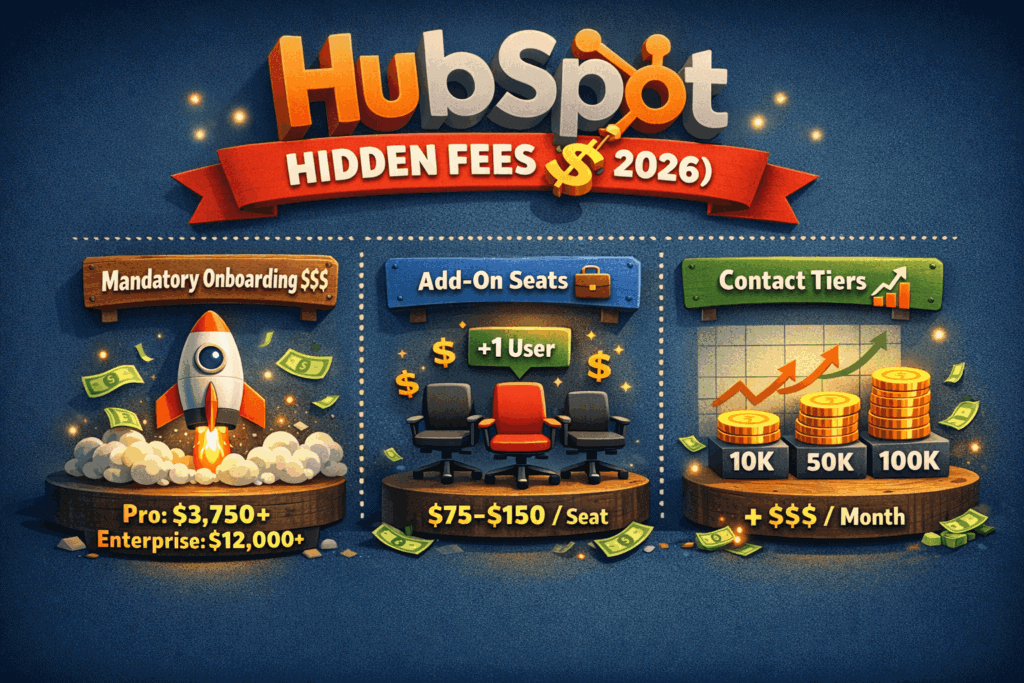
HubSpot's entry-level pricing looks attractive, but costs rise sharply as you add contacts, seats, and features. Marketing Hub Professional starts around $800 per month, and Enterprise can exceed $3,600 per month. Sales Hub and Service Hub add separate subscription costs. Many teams find that the total cost of running all three hubs at Professional or Enterprise tier is significantly higher than initial estimates.
2. Customer Support Frustration
Trustpilot reviews show a recurring theme of frustration with HubSpot's customer service. Users report slow response times, unhelpful first-line support, and difficulty resolving billing or technical issues. While HubSpot has extensive documentation and a large community, direct support can be inconsistent for teams on lower tiers.
3. Contact-Based Pricing Penalizes Growth
HubSpot charges based on the number of marketing contacts in your database. As your list grows, so does your bill. Companies with large email lists but relatively low revenue per contact may find this model expensive compared to platforms that charge per user or per email volume.
4. Learning Curve for Advanced Features
While the basics are intuitive, advanced features like custom objects, complex workflow logic, and API integrations require time to learn. Teams moving from simpler tools may underestimate the setup and training effort required to use the platform effectively.
5. Limited Flexibility in Some Areas
HubSpot's website builder and CMS are functional but less flexible than dedicated platforms like WordPress or Webflow. Custom reporting has improved but still has limitations compared to dedicated BI tools. Teams with very specific requirements may need to supplement HubSpot with other software.
Pricing Signals: What to Expect
HubSpot does not publish a single all-inclusive price. Instead, each hub has its own tier structure. Here is a practical overview based on publicly available pricing signals:
| Hub | Free Tier | Starter | Professional | Enterprise |
|---|---|---|---|---|
| Marketing Hub | Yes | ~$15-20/month | ~$800/month | ~$3,600/month |
| Sales Hub | Yes | ~$15-20/month | ~$90-100/user/month | ~$150/user/month |
| Service Hub | Yes | ~$15-20/month | ~$90-100/user/month | ~$130-150/user/month |
Important pricing notes:
- Marketing Hub Professional and Enterprise pricing is based on contact tiers. The listed price covers a set number of marketing contacts; exceeding that limit increases your monthly cost.
- Sales Hub and Service Hub Professional and Enterprise tiers charge per user, which can add up quickly for larger teams.
- Bundling multiple hubs can reduce per-hub costs, but the total still rises with contacts and seats.
- Onboarding fees may apply for Professional and Enterprise tiers, especially if you purchase implementation services.
Budget rule of thumb: A mid-sized B2B company with 10,000 marketing contacts, 10 sales users, and 5 support users running all three hubs at Professional tier should expect to budget several thousand dollars per month. Always request a detailed quote before committing.
Setup and Implementation: What to Expect
Getting Started
HubSpot's free tier is genuinely easy to start. You can create an account, import contacts, connect email, and send your first campaign within a day. The interface is clean and well-documented.
Migration from Other Tools
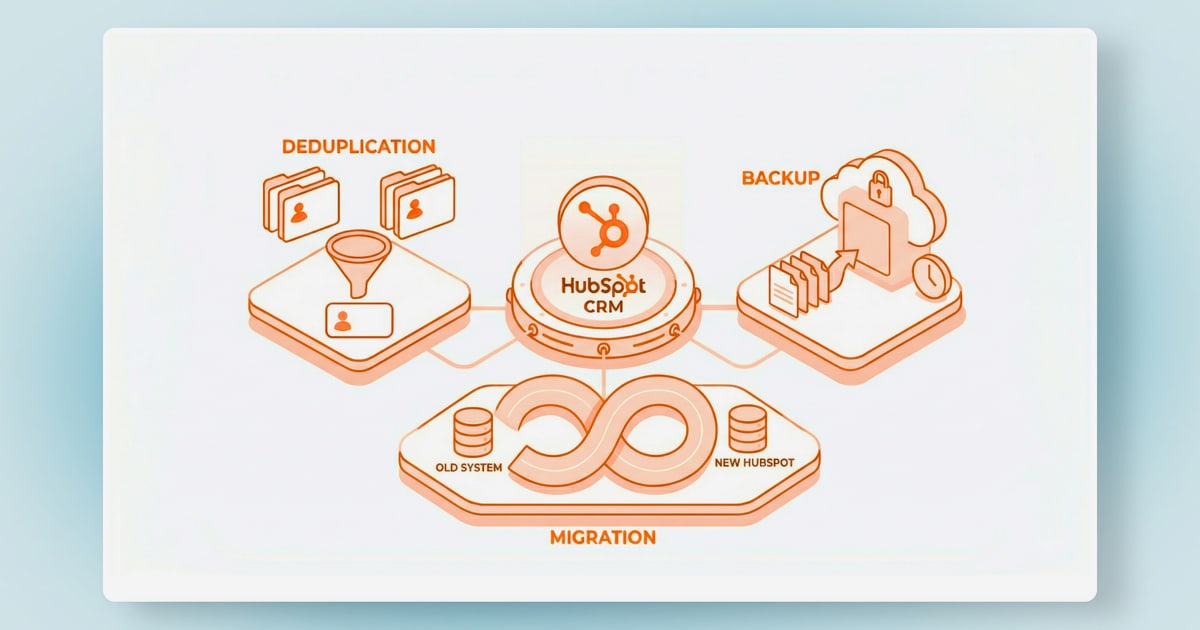
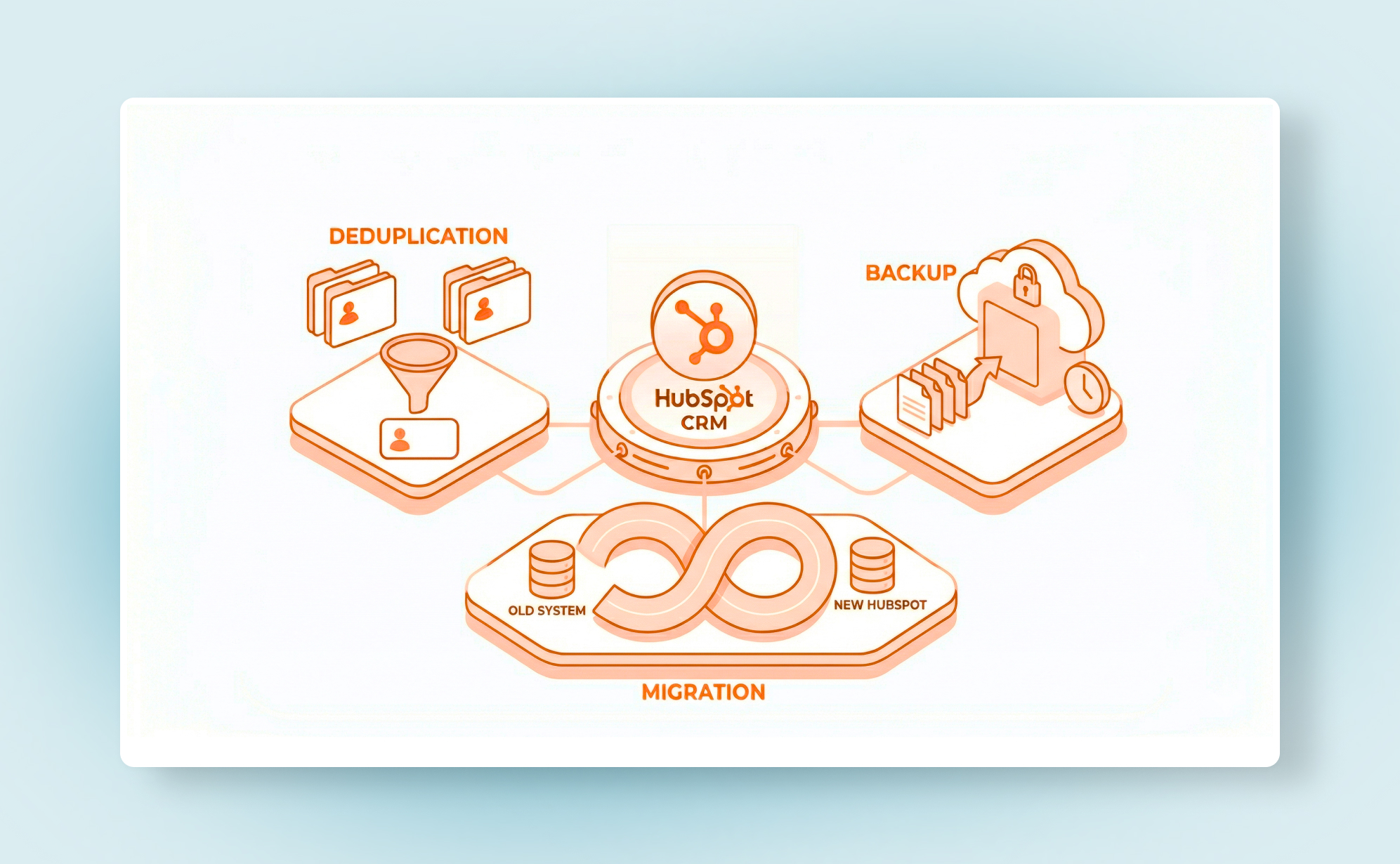
Migrating from Salesforce, Pipedrive, or another CRM requires planning. HubSpot offers import tools and migration services, but data mapping, deduplication, and workflow rebuilding take time. Teams should budget 2-4 weeks for a basic migration and longer for complex setups.
Configuration for Multiple Hubs
If you are implementing Marketing, Sales, and Service Hubs together, expect a phased rollout. Start with the CRM foundation, then layer in marketing automation, then sales processes, then support workflows. Trying to launch everything at once often leads to incomplete adoption.
Team Training
HubSpot Academy offers free, high-quality training courses. However, team adoption still requires internal champions. Sales reps need to understand pipeline stages and deal properties. Marketers need to learn the workflow builder and reporting. Support agents need to adopt the shared inbox and ticketing process.
HubSpot Customer Platform vs. Alternatives
HubSpot vs. Salesforce
Salesforce offers deeper customization, more robust enterprise features, and a larger ecosystem of third-party apps. HubSpot is easier to use, faster to implement, and more approachable for small and mid-sized teams. Choose Salesforce if you need complex custom objects, advanced territory management, or industry-specific solutions. Choose HubSpot if you want a unified marketing-sales-service platform without heavy IT involvement.
HubSpot vs. Pipedrive
Pipedrive is a focused, affordable sales CRM with a simpler interface and lower starting price. HubSpot offers more marketing and service capabilities in one platform. Choose Pipedrive for pure sales pipeline management on a budget. Choose HubSpot if you need marketing automation and support tools connected to your CRM.
HubSpot vs. Zoho CRM
Zoho offers a broader suite of business applications at a lower price point, but the user experience is less polished and integration between modules can feel less seamless. HubSpot wins on ease of use and marketing automation quality. Zoho wins on price and breadth of business apps.
HubSpot vs. Best-of-Breed Support Tools
For teams that prioritize customer support, dedicated platforms like Intercom or Gladly offer deeper conversational AI and omnichannel support capabilities. HubSpot Service Hub is solid for basic ticketing and knowledge base needs, but teams with high support volume or complex omnichannel requirements may find dedicated tools more capable. If support is your primary focus, compare HubSpot Service Hub against dedicated options like Crisp before committing.
Decision Criteria: Is HubSpot Right for You?
Use this checklist to evaluate whether HubSpot Customer Platform fits your needs:
Choose HubSpot if:
- You need marketing, sales, and support data in one unified system
- Your team values ease of use over deep customization
- You want embedded AI features without building your own AI stack
- You are willing to pay more for an integrated platform rather than stitching together cheaper tools
- Your growth plan includes scaling from basic CRM to full marketing automation and support workflows
Look elsewhere if:
- Your budget is tight and you only need basic contact management
- You require highly customized CRM objects and workflows
- Your support team needs advanced omnichannel routing and AI agent capabilities
- You have a very large contact database and contact-based pricing would be cost-prohibitive
- You prefer best-of-breed tools for each function and are comfortable managing integrations
Related reading
- How to Use Gladly: A Practical Setup Guide for Support Teams - Learn how to use Gladly step by step: configure your AI agent, set up knowledge sources, test responses, monitor performance, and improve customer conversations.
- How to Use Intercom with Beam AI: Setup & Workflows - Learn how to connect Intercom and Beam AI for agentic automation. Step-by-step setup, practical workflows, and examples for support teams.
- Intercom vs Olark: Which Support Platform Wins in 2026? - Compare Intercom and Olark on AI agents, live chat, pricing, channels, and scalability. See which customer support platform fits your team in 2026.
Sources and further reading
- Read Customer Service Reviews of hubspot.com - Trustpilot - HubSpot Reviews · Customer service. Reviewers mention negative feedback about customer service, highlighting frustration with unhelpful support... · User ...
- HubSpot CRM Review 2026: Features, Pros And Cons - Forbes - Jan 8, 2026 ... HubSpot CRM is a cloud-based CRM (customer relationship management) platform at the core of HubSpot's unified customer ecosystem. It's one part ...
- HubSpot Customer Reviews - We're a customer-first company, so we take their word above all others. We're grateful their votes have garnered awards from Gartner, G2, TrustRadius & more.
Frequently Asked Questions
Is HubSpot Customer Platform really free?
HubSpot offers a genuinely functional free CRM tier with contact management, email tracking, meeting scheduling, live chat, and basic reporting. However, advanced marketing automation, sales automation, and service features require paid tiers. The free tier is a real product, not just a trial, but most growing teams eventually upgrade.
How much does HubSpot Customer Platform cost per month?
Costs vary widely based on hubs, tiers, contacts, and users. A small team on Starter tiers might pay under $100 per month. A mid-sized company running Marketing, Sales, and Service Hubs at Professional tier with 10,000+ contacts can expect to pay several thousand dollars per month. Always request a detailed quote.
Is HubSpot good for small businesses?
Yes, for small businesses that plan to grow. The free CRM and Starter tiers are affordable and easy to use. The main risk is outgrowing the free tier and facing a significant price jump when upgrading to Professional. Small businesses should map their expected contact growth before committing.
Can HubSpot replace my separate marketing, sales, and support tools?
In many cases, yes. HubSpot's unified platform can replace separate email marketing tools, sales CRMs, and basic help desk software. However, teams with specialized needs in any area may still need dedicated tools. For example, complex support operations might still benefit from a dedicated platform alongside HubSpot's CRM.
How does HubSpot's Breeze AI compare to standalone AI tools?
Breeze's main advantage is context. Because it has access to your CRM data, it can generate more relevant content, summaries, and predictions than generic AI tools. However, it is not a replacement for specialized AI platforms in areas like advanced conversational AI or custom machine learning models.
What is the biggest complaint about HubSpot?
Based on Trustpilot reviews, the most common complaints center on customer support quality and pricing escalation. Users report frustration with slow or unhelpful support responses and surprise costs as contact counts and feature needs grow. These issues are more common on lower tiers and with complex billing scenarios.
Conclusion
HubSpot Customer Platform earns its reputation as a leader in unified CRM, marketing, sales, and service software. Its Smart CRM genuinely connects customer data across teams, its free tier is one of the most usable in the industry, and Breeze AI adds practical value without requiring technical expertise. For small and mid-sized B2B companies that want one integrated system, HubSpot is a strong choice.
However, the platform is not without trade-offs. Pricing escalates quickly with contacts and users, customer support can be inconsistent, and teams with highly specialized needs may find dedicated tools more capable. Before committing, map your expected contact growth, calculate total cost across all hubs, and test the free tier with real workflows.
If you are evaluating support-focused platforms, compare HubSpot Service Hub against dedicated alternatives. For example, teams considering AI-powered support automation may want to explore how Intercom compares to Olark or review a practical setup guide for Gladly to understand what specialized support tools offer. Similarly, if workflow automation is a priority, a practical guide to workflow automation can help you evaluate whether HubSpot's built-in automation meets your needs.
HubSpot is a powerful platform, but the right choice depends on your specific requirements, budget, and growth trajectory. Test it thoroughly, calculate your total cost of ownership, and make an evidence-based decision.