HubSpot Review 2026: Strengths, Costs & Fit

HubSpot Review 2026: Strengths, Costs, and Who It Fits
HubSpot is one of the most recognizable names in CRM and marketing software, but a useful review has to go beyond brand recognition. This HubSpot review examines what the platform actually does well, where it becomes expensive or limiting, and which teams get real value from it. The analysis draws on hands-on accounts, published pricing details, and user discussions, while separating durable strengths from marketing claims.
What HubSpot Is and Who It Serves
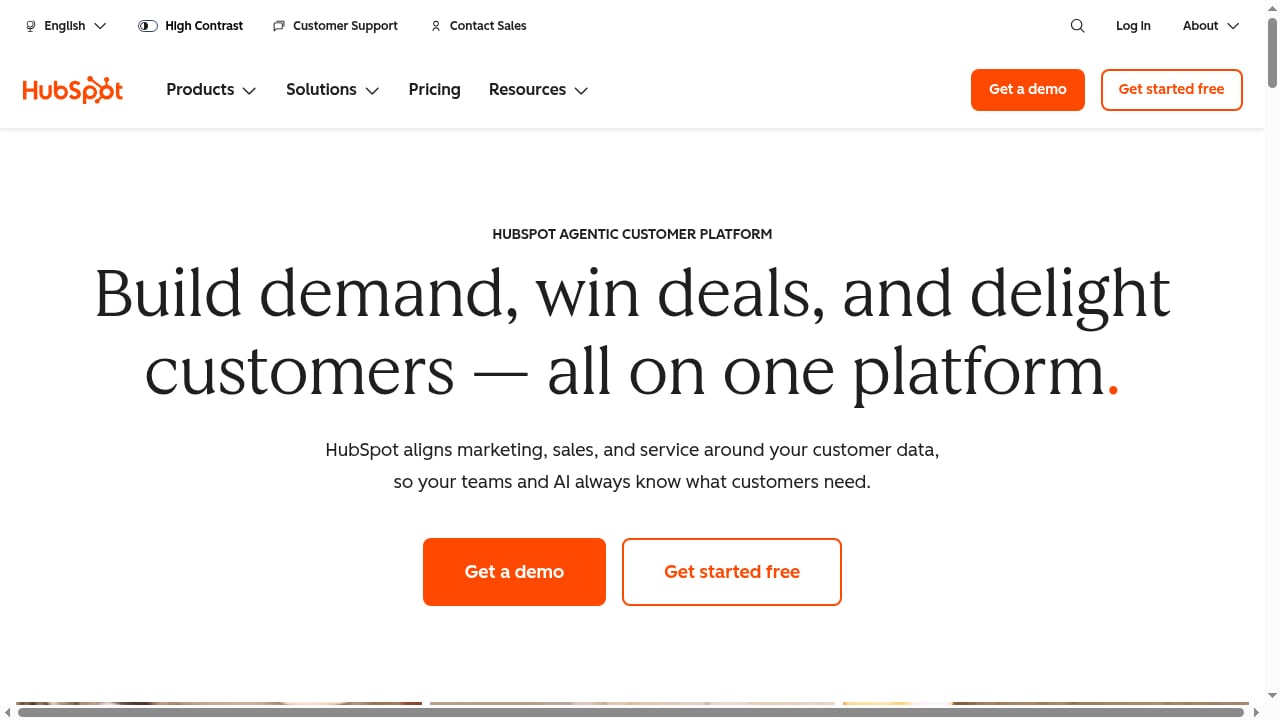
First viewport screenshot of www.hubspot.com.
HubSpot is an agentic customer platform that combines a Smart CRM with marketing, sales, service, and content tools. The core idea is a shared customer data foundation: contacts, companies, deals, and tickets live in one system, and both human teams and AI agents work from that same context. The platform includes Marketing Hub, Sales Hub, Service Hub, Content Hub, and the free Smart CRM, with AI capabilities embedded across tiers.
HubSpot reports serving more than 190,000 businesses. Its historical focus on inbound marketing still shapes the product, but the current positioning emphasizes consolidation, ease of use, and outcomes rather than a single marketing channel.
Ideal users
- B2B companies with complex or high-ticket sales that need to connect marketing activity to closed revenue.
- Growing teams outgrowing spreadsheets and disconnected tools and wanting one system for contacts, deals, and campaigns.
- Marketing and sales teams that value usability over deep customization or enterprise-grade configuration.
- Small businesses starting free and planning to scale into paid hubs as needs grow.
Less ideal users
- Budget-constrained small businesses that mainly need email automation; lower-cost tools often cover that need.
- Teams with highly specialized workflows that require extensive custom objects, permissions, or industry-specific configuration.
- Support-first organizations whose primary need is advanced ticketing and AI resolution rather than marketing and sales alignment.
Core Use Cases in Practice
First viewport screenshot of www.hubspot.com.
Pipeline and record management
The CRM is the heart of the platform. Contacts, companies, deals, and tickets are stored together, and deals move through customizable pipeline stages on a kanban board. Sales teams can create tasks, log calls and emails, and connect Gmail or Outlook to send tracked messages. The free CRM includes unlimited users and contacts, deal tracking, and pipeline management, which is unusually generous for a free tier.
Marketing email and campaign management
The drag-and-drop email builder is polished and fast. Personalization tokens pull from CRM data, and smart content can show different blocks to different segments on paid plans. A/B testing is available on Professional and above, both for standalone emails and as branches inside workflows. Campaign management and attribution let teams see how specific emails, pages, or social posts contribute to pipeline.
Landing pages, blogs, and content
Content Hub supports landing page and blog creation with templates, SEO recommendations, and AI-assisted writing. The editor is approachable for marketers without design resources, though template variety is more limited than dedicated design tools.
Service and ticketing
Service Hub provides live chat, ticketing, and automation for routing and answering common questions. It is competent for teams that want service data next to sales and marketing data, but it is not the deepest support platform on the market. Teams with high-volume, AI-first support needs should compare dedicated customer service platforms.
AI across the platform
HubSpot's Breeze AI includes an in-app copilot, a customer agent, and a prospecting agent. Because the AI works from the same CRM data, it can surface patterns and draft outreach with context that standalone AI tools lack. Outcome-based pricing for some agents (per resolved conversation or qualified lead) makes costs more variable but ties spend to results.
Strengths That Hold Up
- Best-in-class usability. Reviewers consistently describe the interface as polished and coherent across products. On-screen tutorials and HubSpot Academy make onboarding easier than most enterprise alternatives.
- Genuinely integrated data. Marketing, sales, and service share one database, which simplifies reporting and attribution. Multi-touch revenue attribution and custom dashboards are strong for teams that need to prove marketing impact.
- Generous free tier. The free Smart CRM includes unlimited users and contacts, deal tracking, and 2,000 marketing emails per month. It is a low-risk way to test the platform.
- Large integration ecosystem. Thousands of apps connect to HubSpot, reducing the need for custom development.
- Strong training resources. HubSpot Academy is free, certified, and widely used, which lowers the learning curve for new team members.
Limitations and Trade-offs
Pricing escalates quickly
The free tier is generous, but paid plans climb steeply. Marketing Hub Professional has been reported at around $890 per month with a mandatory onboarding fee of about $3,000 and a 12-month commitment. Enterprise tiers are higher still. Costs multiply through three levers: per-seat pricing for editing users, marketing-contact tiers billed in 1,000-contact increments, and optional add-ons. View-only seats are free, but anyone who edits content needs a paid seat.
Automation depth has limits
The visual workflow builder is easier to learn than many competitors, but it lives on Professional and above. Starter plans offer basic email sequences without full automation. Some advanced capabilities, such as split-testing entire automation paths or predictive sending, are absent or restricted to higher tiers. Teams running sophisticated automation programs may find lower-cost tools more powerful for that specific job.
The platform can feel bulky
Because HubSpot covers so much ground, smaller teams may pay for features they never use. The consolidation bet pays off when a team actually needs marketing, sales, and service data together; otherwise, the overhead is hard to justify.
Commitment and lock-in
Annual commitments are standard on Professional and Enterprise, and mid-year cancellation does not stop billing. Migrating away from an all-in-one platform is more involved than switching a point solution, so the decision deserves careful evaluation before signing.
Pricing Signals to Watch
HubSpot's headline prices undersell what most teams pay. Before budgeting, model these variables:
- Marketing contacts vs. CRM contacts. Only contacts you actively market to count toward your tier. Unlimited non-marketing contacts can sit in the free CRM at no charge.
- Contact overages. Going one contact over a tier limit can automatically bump you to the next tier. List growth should be planned around 1,000-contact increments.
- Seats. Each editing user is a paid core seat; view-only seats are free and unlimited.
- Onboarding fees. Professional and Enterprise plans carry mandatory, non-refundable onboarding fees.
- Add-ons. Dedicated IPs, transactional email, and AI credits can add meaningful monthly cost.
A solo founder on Starter might pay around $15 per month, while a mid-market team with 10,000 contacts and five seats on Professional could pay over $2,000 per month. Enterprise costs with large contact volumes can exceed $5,000 per month before add-ons.
Setup and Onboarding Experience
Setup is now heavily AI-managed. HubSpot's onboarding assistant asks about industry, role, team size, and website domain, then pre-populates the account with sensible defaults. A free Smart CRM account can be running in minutes without a credit card or manual property configuration.
The harder work comes later: defining lifecycle stages, mapping properties, building workflows, and aligning teams on process. Professional and Enterprise onboarding programs are designed to accelerate this, but the mandatory fee means the investment is not optional. Teams should plan for internal time to configure the platform properly, not just the subscription cost.
How HubSpot Compares
First viewport screenshot of www.hubspot.com.
HubSpot is often evaluated against two types of alternatives:
- Lower-cost marketing automation tools. These can deliver most of the email automation a small business needs at a fraction of the price, but they usually lack HubSpot's CRM depth and revenue attribution.
- Dedicated support and AI-first platforms. For teams whose priority is automated query resolution and conversational customer service, specialized platforms may offer deeper AI resolution and more predictable support pricing. See how automated query resolution works in AI-first customer service and compare options in this roundup of conversational AI customer experience platforms.
HubSpot's advantage is consolidation: fewer tools, one database, and reporting that spans the customer journey. Its disadvantage is that you pay for the whole platform even if you only need part of it.
Decision Criteria: Is HubSpot Right for You?

HubSpot product interface.
Use these questions to decide:
- Do you need closed-loop revenue attribution? If proving which marketing activities generate pipeline is a core requirement, HubSpot's reporting is a strong reason to choose it.
- Will multiple teams use the same data? The platform pays off when marketing, sales, and service genuinely share contacts and deals.
- Can you absorb the total cost? Model seats, marketing contacts, onboarding fees, and add-ons, not just the headline tier price.
- Do you need automation beyond basic sequences? If so, budget for Professional, or evaluate a lower-cost automation specialist.
- How stable is your team and process? Annual commitments and migration effort favor teams with predictable workflows.
- Is support a primary need? If AI-driven support resolution is the priority, compare dedicated platforms before committing to Service Hub.
For teams that fit, HubSpot can replace a stack of disconnected tools and give both people and AI agents a reliable customer data foundation. For teams that do not, the free CRM is still a useful starting point, but the paid tiers demand a clear return.
Related reading
- How to Use Intercom with Atlassian: Setup, Workflows & Tips - Connect Intercom with Atlassian to sync tickets to Jira, surface context in the Inbox, and close the loop between support and engineering. Step-by-step guide.
- Intercom vs Capacity vs Hesk: CX Automation Platform Showdown - Compare Intercom, Capacity CX Automation Platform, and Hesk on AI, pricing, and ticketing. Find the best fit for your support team.
Sources and further reading
- HubSpot Review: My Experience Over 8 Years - HubSpot review based on eight years of hands-on use. Honest take on pricing, Breeze AI, automation depth, and where it earns its bill — and where it doesn't.
- HubSpot Review 2026: Is It Really The Best All-In-One CRM? - Looking for CRM software? Our must-read Hubspot review takes you on a fully-tested tour of one of the world’s most popular customer relationship management platforms.
- The heart of the internet - Yes
Frequently Asked Questions
Is HubSpot good for small businesses?
Yes, especially as a free starting point. The free Smart CRM includes unlimited users and contacts, deal tracking, and 2,000 marketing emails per month. Paid plans become expensive quickly, so small businesses should start free and upgrade only when a specific feature is needed.
How much does HubSpot really cost?
Headline prices start low, but total cost depends on seats, marketing-contact tiers, onboarding fees, and add-ons. Professional plans have been reported around $890 per month plus a mandatory $3,000 onboarding fee, with costs rising at higher contact volumes.
What is HubSpot Breeze AI?
Breeze is HubSpot's embedded AI suite, including an in-app copilot, a customer agent, and a prospecting agent. Because it works from CRM data, it can draft outreach, surface patterns, and resolve customer questions with context. Some agents use outcome-based pricing.
Is HubSpot hard to set up?
No. The onboarding assistant pre-populates a new account in minutes. The real effort is in configuring properties, lifecycle stages, and workflows to match your process, which is where onboarding programs and internal planning matter.
Does HubSpot replace other tools?
It can replace many marketing, sales, and service tools, which is its main value proposition. Teams with specialized needs, such as advanced support automation or deep design tooling, may still keep point solutions alongside it.
What are the main HubSpot alternatives?
Lower-cost marketing automation platforms suit budget-focused teams, while dedicated AI-first support platforms suit service-heavy organizations. The right choice depends on whether consolidation or specialized depth matters more.
Conclusion
HubSpot earns its reputation for usability, integration, and revenue reporting. For B2B teams with complex sales cycles and the budget to match, it can be a genuine competitive advantage. For smaller or budget-constrained teams, the free CRM is worth testing, but the paid tiers require a clear use case and a realistic cost model. Evaluate HubSpot against your attribution needs, team structure, automation requirements, and total cost, not just the starting price.