No-Code AI Agents: 12 Builders Tested for 2026
No-Code AI Agents: What They Are, How to Choose, and the Best Builders for 2026
The no-code AI agent space has moved fast. What was once a niche category dominated by experimental tools is now a legitimate market projected to grow from $8.6 billion in 2026 to over $75 billion by 2034, according to Fortune Business Insights. For consultants, agency owners, support leaders, and operations teams, that growth creates a real question: which platform actually lets you build, deploy, and manage AI agents without hiring a development team?
This guide breaks down what no-code AI agents actually are, the key capabilities to evaluate, and the platforms worth testing in 2026. Whether you want to automate customer support, orchestrate internal workflows, or build client-facing agent products, the right choice depends on your specific use case — not just the tool with the flashiest demo.
What Is a No-Code AI Agent?
No-Code AI Agents: 12 Builders Tested for 2026 - What Is a No-Code AI Agent?.
A no-code AI agent is a software assistant you can configure through a visual interface, natural language instructions, or pre-built templates — without writing Python, JavaScript, or any other programming language. Instead of coding an agent from scratch, you define its behavior through prompts, drag-and-drop workflows, knowledge base uploads, and integration settings.
Most no-code AI agents share a common architecture:
- A trigger that starts the agent's work — a chat message, a scheduled event, a form submission, or an API call
- A reasoning layer powered by a large language model such as GPT-4, Claude, or Gemini
- Knowledge sources the agent can reference, including PDFs, websites, Notion pages, or connected databases
- Actions the agent can take, such as sending an email, updating a CRM record, or escalating to a human
- Guardrails that constrain behavior, including human-in-the-loop approvals and fallback logic
The key difference between a simple chatbot and a true AI agent is autonomy. A chatbot follows a predefined script. An agent can interpret intent, retrieve relevant information, decide which action to take, and execute multi-step tasks — all within boundaries you define.
Why Teams Are Moving to No-Code AI Agents
No-Code AI Agents: 12 Builders Tested for 2026 - Why Teams Are Moving to No-Code AI Agents.
The appeal is straightforward: speed and accessibility. A team that previously needed a machine learning engineer to build even a basic automation can now have a working AI agent in hours, not months. That shift has practical implications:
- Faster iteration. You can test a new agent workflow in an afternoon, gather feedback, and refine prompts without waiting for a development sprint.
- Lower cost. No-code platforms eliminate the need for dedicated AI engineering resources, which remain scarce and expensive.
- Broader ownership. Support leaders, operations managers, and consultants can build agents directly, rather than translating requirements through a technical intermediary.
- Reduced risk. Visual workflows and built-in guardrails make it easier to see exactly what an agent will do before it goes live.
That said, no-code does not mean no-effort. Designing a reliable agent still requires clear thinking about the problem you're solving, the data the agent needs, and the failure modes you need to prevent.
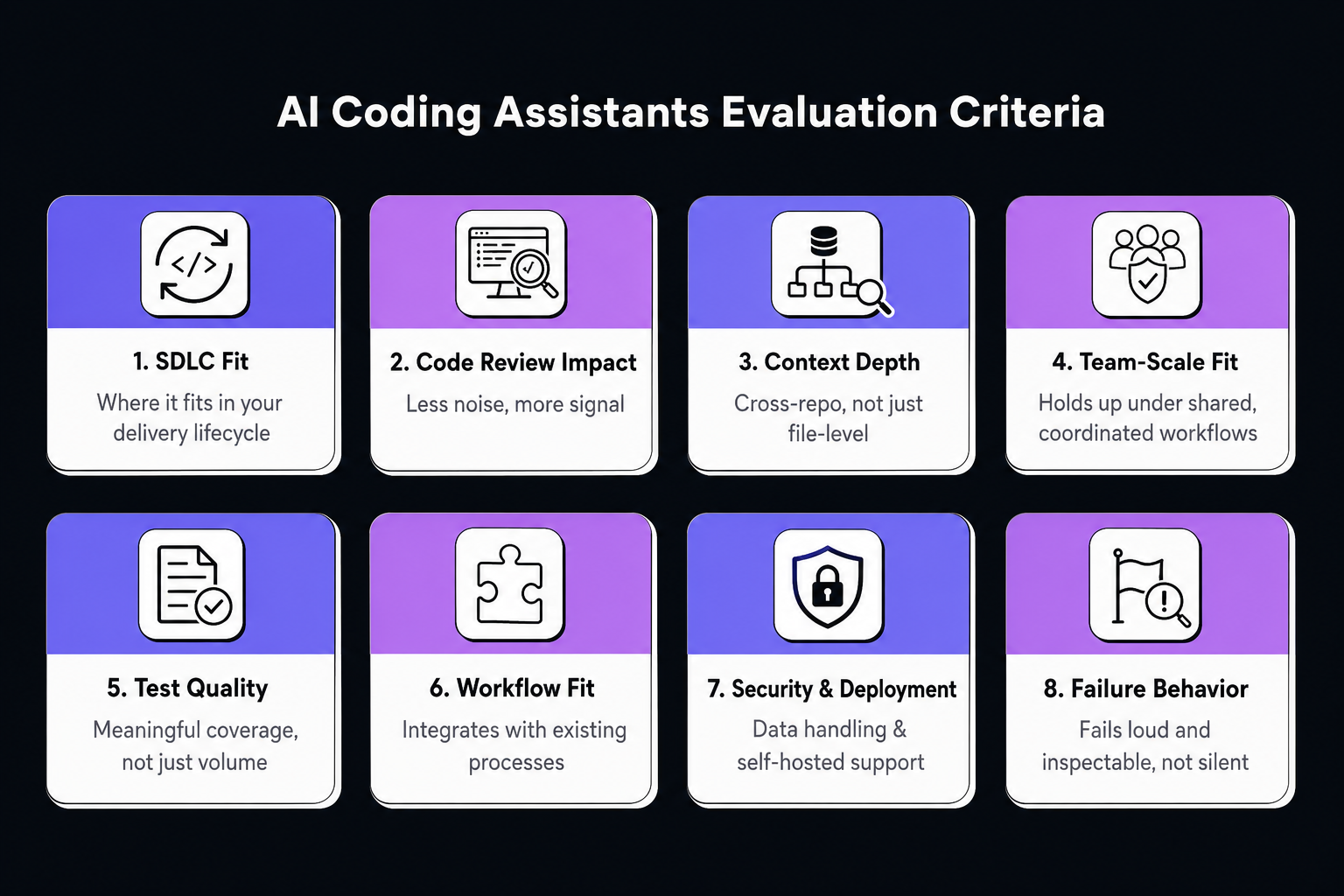
6 Capabilities to Evaluate in a No-Code AI Agent Builder
No-Code AI Agents: 12 Builders Tested for 2026 - 6 Capabilities to Evaluate in a No-Code AI Agent Builder.
Before comparing specific platforms, it helps to define what you actually need. The following criteria separate tools that are ready for production from those better suited to experimentation.
1. Deployment Options
Where does the agent need to live? Common options include a website chat widget, a Slack or WhatsApp integration, an API endpoint, or a branded portal where clients can access multiple agents. Some platforms only support embedding a chat widget; others offer full multi-channel deployment.
2. Knowledge Base Integration
Most useful AI agents are grounded in specific information. Look for platforms that can ingest documents from the sources you already use — PDFs, Google Drive, Notion, Confluence, or a website — and keep that knowledge synchronized as it changes.
3. Action Capabilities
An agent that can only answer questions is a chatbot. An agent that can update records, send messages, trigger workflows, and call external APIs is a genuine automation asset. Check how the platform handles actions, including whether it supports custom API connections and multi-step logic.
4. Human-in-the-Loop Controls
For customer-facing or high-stakes workflows, you need the ability to pause an agent's execution and require human approval before certain actions. This is especially important when agents handle payments, sensitive data, or irreversible operations.
5. White-Labeling and Monetization
If you're an agency or consultant building agents for clients, white-labeling matters. Can you remove the platform's branding, use your own domain, and present the agent as your product? Built-in billing and usage tracking can also simplify client relationships.
6. Pricing That Scales
No-code platforms use a variety of pricing models: flat monthly fees, per-message charges, AI credit systems, or usage-based billing. The right model depends on your volume. A platform that looks cheap at low usage can become expensive quickly when agents handle thousands of conversations.
The Best No-Code AI Agent Builders for 2026

No-Code AI Agents: 12 Builders Tested for 2026 - The Best No-Code AI Agent Builders for 2026.
Based on hands-on testing across the current market, here are the platforms that stand out for different use cases.
Pickaxe — Best for Consultants and Agencies
Pickaxe is the rare platform that covers the full lifecycle: build, deploy, and monetize AI agents without code. Its Agent Builder lets you configure instructions, upload knowledge base documents, add actions for external tool connections, and choose your model — all through a beginner-friendly interface.
What makes Pickaxe particularly strong for agencies is its deployment layer. You can create branded portals where clients access one or more agents, complete with custom domains, design controls, and folder organization. Built-in Stripe integration supports subscription, pay-per-usage, and one-time payment models, while white-labeling removes platform branding entirely.
Pricing starts at $19 per month on the Gold plan (annual billing), which includes white-labeling and $50 in monthly AI credits. The Pro plan at $49 per month adds API access and unlimited portals. The platform is SOC 2, GDPR, and CCPA compliant, which matters if you work with regulated industries.
Best for: Agencies and consultants who need to build client-facing agents and get paid for them.
n8n — Best for Technical Workflow Automation
n8n takes a different approach. It's a workflow automation platform first, with AI agent capabilities layered on top. The AI Agent node listens for input from a trigger — typically a chat message — and uses system prompts to define behavior. From there, you can mix deterministic automation steps with AI reasoning, add human-in-the-loop approval steps, and implement error handling and fallback logic.
The platform's strength is control. You can use any LLM or vector store, call n8n workflows from other AI systems using its MCP Server, and export projects to JSON for sharing and reuse. For teams that need AI agents tightly integrated with existing business systems — CRMs, databases, internal tools — n8n offers flexibility that pure agent builders don't.
The trade-off is complexity. While n8n's visual builder is more accessible than raw code, it's designed for technical teams. The learning curve is steeper than platforms like Pickaxe or Voiceflow. Pricing starts at $20 per month for cloud hosting, with a self-hosted option available for teams that want full control.
Best for: Technical teams that need AI agents deeply integrated with existing automation workflows.
Voiceflow — Best for Conversational AI Design
Voiceflow began in voice and expanded into chat, and its visual canvas for designing conversational flows remains one of the most polished in the industry. If you're building customer support chatbots or interactive voice agents, the canvas lets non-technical stakeholders participate in the design process — a real advantage when clients want to see and shape conversation logic.
Key capabilities include knowledge base ingestion from websites and documents, LLM integrations with GPT-4 and Claude, and an API-first architecture for custom integrations. The main concern is pricing: the Pro plan starts at $60 per month, with additional editors at $50 per month each. White-labeling requires Enterprise pricing, which typically starts in the $1,000 to $2,000 per month range.
Best for: Teams building sophisticated conversational experiences where design quality is the priority.
Botpress — Best Free Tier for Getting Started
Botpress has evolved from its chatbot-era roots into a legitimate AI agent platform. The free tier includes 1,000 monthly messages, which is enough to build and test agents before committing budget. The Agent Studio combines a visual flow builder with an autonomous engine that blends generative AI with structured logic — agents can follow deterministic paths when needed and get creative when appropriate.
For agencies, the Team plan at $495 per month unlocks multiple collaborators, advanced analytics, and branding controls. That's a significant jump from the $89 per month Plus plan, which may push smaller teams toward alternatives. Still, the free tier makes Botpress one of the easiest ways to experiment with AI agents without financial commitment.
Best for: Teams that want to prototype AI agents before committing to a paid platform.
Relevance AI — Best for Multi-Agent Orchestration
Relevance AI focuses on multi-agent systems, where multiple specialized agents work together on complex tasks. The platform supports visual workflow design, tool integrations, and the ability to orchestrate agents that handle different parts of a process — research, analysis, content generation, and quality review, for example.
Pricing starts at $29 per month with a free tier that includes 200 actions. The platform is particularly interesting for teams building internal automation pipelines where multiple agents need to coordinate. However, it lacks the client-facing deployment and monetization features that make Pickaxe attractive for agencies.
Best for: Teams building internal multi-agent workflows that require coordination between specialized agents.
No-Code AI Agents for Customer Service: A Different Calculation
Most no-code AI agent builders are general-purpose platforms. They can technically be used for customer support, but they require significant configuration to handle the realities of support workflows: conversation routing, human handoff, ticket management, and integration with existing help desk tools.
For customer service specifically, a purpose-built platform often delivers better results faster. Intercom, for example, is an AI-first customer service platform that includes a natively integrated AI agent called Fin. Rather than building a support agent from scratch, teams can deploy Fin to resolve customer questions instantly, with automatic escalation to human agents when needed. The platform includes a shared inbox, AI-powered automation, multi-channel support across live chat, email, in-app messaging, and phone, and an integrated Help Center for self-service.
The distinction matters: a no-code agent builder gives you the raw materials to construct an agent. A customer service platform like Intercom gives you a production-ready agent designed specifically for support, with the guardrails, integrations, and human handoff capabilities already built in. For support leaders, that can mean the difference between weeks of configuration and days of deployment. If you're evaluating broader service desk options, this guide to service desk platforms provides a useful framework for understanding where AI-first tools fit.
How to Choose the Right No-Code AI Agent Platform
The best platform depends on three questions:
1. Who is the agent for? If you're building agents for your own team, internal deployment options matter most. If you're building for clients, white-labeling, monetization, and branded portals become critical.
2. What does the agent need to do? A conversational support agent has different requirements than a workflow automation agent or a multi-agent research system. Match the platform's strengths to your primary use case.
3. How much control do you need? Platforms like n8n offer granular control over every step of an agent's logic. Platforms like Pickaxe prioritize speed and ease of use. Most teams fall somewhere in between.
For a deeper comparison of AI support platforms specifically, this Intercom vs Ada vs Capacity comparison examines how purpose-built customer service agents stack up against general-purpose alternatives.
Common Mistakes to Avoid
Even with the right platform, no-code AI agents can fail. The most common pitfalls include:
- Skipping knowledge base preparation. An agent is only as good as the information it can access. Invest time in curating and structuring your knowledge sources before deployment.
- Ignoring failure modes. What happens when the agent doesn't understand a request? When it takes the wrong action? Define fallback behavior before you launch.
- Over-automating high-stakes decisions. Use human-in-the-loop approvals for anything irreversible — payments, account changes, or sensitive communications.
- Choosing a platform before defining the use case. Start with the problem, not the tool. A clear use case makes platform evaluation dramatically easier.
Related reading
- Intercom vs Genesys Cloud CX vs Yuma AI: 2026 Comparison - Compare Intercom, Genesys Cloud CX, and Yuma AI on AI resolution, omnichannel support, pricing, and ideal use cases. See which platform fits your team in 2026.
- Twilio Review 2026: APIs, AI Agents & Real Pricing Tested - Evidence-based Twilio review covering SMS, voice, email, and AI agents. See pricing signals, setup complexity, limitations, and who should use it in 2026.
Sources and further reading
- What are some truly no-code AI "Agent" builders that don't require a ... - Feb 23, 2025 ... The closest thing I've found to a real no-code AI agent builder is using tools like n8n, Make, or Flowise. You can actually string together ...
Frequently Asked Questions
What is the difference between a no-code AI agent and a chatbot?
A chatbot follows predefined scripts and decision trees. A no-code AI agent uses a large language model to interpret intent, retrieve relevant information from connected knowledge sources, and take actions such as updating records or triggering workflows. Agents can handle ambiguity and multi-step tasks in ways that scripted chatbots cannot.
Can I build a no-code AI agent for free?
Yes, several platforms offer free tiers. Botpress includes 1,000 monthly messages free, n8n offers a self-hosted free option, and Pickaxe has a free tier with limited AI credits. Free tiers are best for prototyping and testing; production deployments typically require a paid plan.
Do no-code AI agents require any technical knowledge?
No-code platforms are designed for non-technical users, but the level of technical comfort required varies. Pickaxe and Voiceflow are accessible to complete beginners. n8n, while visual, is geared toward technical teams and may require familiarity with API concepts and workflow logic.
How much do no-code AI agent builders cost?
Pricing ranges from free tiers to enterprise plans costing thousands per month. Entry-level paid plans typically start between $19 and $60 per month. Costs scale with usage, number of collaborators, and advanced features like white-labeling or API access.
Can no-code AI agents handle customer support?
Yes, but general-purpose builders require significant configuration to handle support workflows like routing, escalation, and ticket management. For customer service specifically, purpose-built platforms with natively integrated AI agents — such as Intercom with its Fin AI Agent — often deliver faster time-to-value. For a comparison of AI support platforms, see this Intercom vs ClickDesk analysis.
What is the easiest no-code AI agent builder for beginners?
Pickaxe is widely considered the most beginner-friendly full-stack option, with an AI Helper that walks users through setup conversationally. Voiceflow also offers an intuitive visual canvas, though its focus is specifically on conversational design rather than general-purpose agent building.
The Bottom Line
No-code AI agents have moved from novelty to necessity. The platforms that matter in 2026 are those that combine accessibility with production-ready capabilities: reliable deployment, meaningful integrations, and guardrails that prevent costly failures.
For consultants and agencies, Pickaxe stands out for its full build-deploy-monetize pipeline. For technical teams that need agents woven into existing automation, n8n offers unmatched control. For conversational experiences, Voiceflow's design canvas remains best in class. And for customer service specifically, purpose-built platforms with natively integrated AI agents — like Intercom's Fin — eliminate much of the configuration work that general-purpose builders require.
The right choice starts with a clear use case. Define the problem, understand the deployment environment, and evaluate platforms against those specific requirements. The tools are ready — the strategy is up to you.