Unify Customer Conversations: A Practical 2026 Guide
Unify Customer Conversations: A Practical 2026 Guide
A customer asks a question in live chat, follows up by email two days later, then calls because the issue still isn't fixed. Each interaction lands in a different tool, so the customer repeats the same details three times. That repetition is the real problem, not any single channel.
Unifying customer conversations means every message, regardless of where it starts, lands in one place with shared context, shared ownership, and a shared history. This guide explains what that looks like in practice, how to build it step by step, and how to choose tooling that actually supports it.
What "unifying customer conversations" really means
It is not just forwarding five inboxes into one screen. A genuinely unified setup has three properties:
- One thread per customer issue. A chat that turns into an email that turns into a phone call stays one continuous conversation, not three disconnected tickets.
- Shared context. Agents see prior messages, purchase history, and account details without asking the customer to repeat anything.
- Consistent handling. Routing rules, SLAs, and AI automation apply the same way no matter which channel the customer chose.
A useful distinction: multichannel support means you offer many channels. Omnichannel support means those channels share state. Unification is the omnichannel part, and it is where most teams fall short.
Why fragmented conversations cost you

Unify Customer Conversations: A Practical 2026 Guide - Why fragmented conversations cost you.
Fragmentation rarely shows up as a dramatic failure. It shows up as small frictions that compound:
- Slower resolution. Agents spend time hunting for prior messages instead of solving the problem.
- Lower trust. Customers notice when they have to re-explain something they already said.
- Blind spots in reporting. If chat metrics live in one tool and email metrics in another, you cannot see the true volume or the true resolution rate.
- Inconsistent automation. An AI assistant that only sees one channel gives shallow answers because it is missing half the history.
Talkdesk's guide to unified customer experience makes a similar point: experience tends to break in the gaps between systems rather than inside any single interaction.
The four layers of a unified conversation stack
Unify Customer Conversations: A Practical 2026 Guide - The four layers of a unified conversation stack.
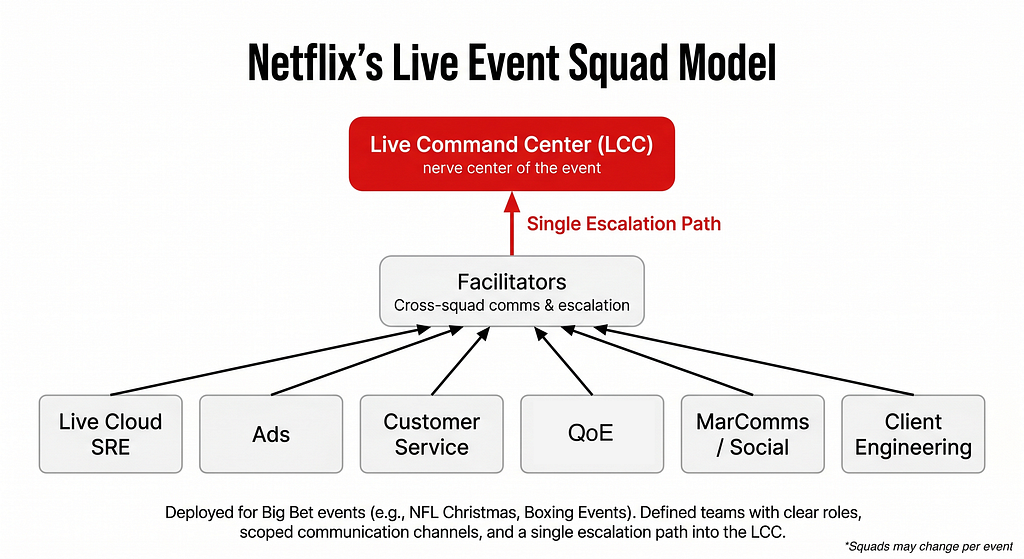
Think of unification as four layers, each of which can be fixed independently.
1. Channel capture
Every channel a customer actually uses needs to feed the same destination. For most support teams that means live chat, email, in-app messaging, phone, and at least one social or messaging app. The tawk.to example of connecting Facebook Messenger into a single inbox shows the pattern: connect the channel once, then manage it with the same tags, assignments, and shortcuts as everything else.
2. Identity and context
This is the layer most teams underestimate. Unification only works if you can match a chat visitor, an email sender, and a phone caller to the same person record. Practical steps:
- Require an email or account identifier early in anonymous chat sessions.
- Sync your CRM or billing system so agents see plan, order, and renewal data inline.
- Store conversation history against the person, not against the channel.
3. Routing and ownership
Once context is shared, decide who owns what. Common patterns:
- Route by topic (billing, technical, returns) rather than by channel.
- Keep one owner per conversation even when it spans channels, so the customer has a single point of contact.
- Escalate on complexity, not on channel. A simple email should be as automatable as a simple chat.
4. Automation and AI
AI is what makes unification scale. But an AI agent is only as good as the context it can see. If your AI assistant can read chat history but not email threads or help center content, it will give partial answers and hand off more often than it should.
This is where an AI-first platform matters. Intercom, for example, pairs a shared inbox with a natively integrated AI Agent, Fin, so the same conversation history and Help Center content feed both automated and human replies. That native integration is the difference between "AI bolted onto a helpdesk" and "AI that shares the same memory as your agents."
A step-by-step plan to unify conversations
Unify Customer Conversations: A Practical 2026 Guide - A step-by-step plan to unify conversations.
You do not need to replatform to make progress. Work through these steps in order.
Step 1: Audit where conversations actually start
Pull six months of data from every tool your team uses. Count volume per channel and note which channels create the most follow-up work. Most teams find that two or three channels carry the majority of volume, and one neglected channel causes a disproportionate share of escalations.
Step 2: Map the handoffs that break
List the moments where a conversation moves between tools or teams. For each handoff, ask: does context travel with it? If the answer is no, that handoff is your priority.
Step 3: Choose a single system of record
Pick one platform to be the source of truth for conversations. It should support your real channels, store history against the customer, and expose an API so other tools can read and write to it. If you are comparing options, this is the stage where a side-by-side evaluation pays off; our Intercom vs CXone comparison walks through how an AI-first helpdesk differs from a traditional contact center on exactly these points.
Step 4: Migrate channel by channel
Do not cut over everything at once. Move your highest-volume channel first, run it for two weeks, then add the next. Keep a fallback path so customers are never left without an answer during the transition.
Step 5: Layer in automation
Start with deflection: let an AI agent handle password resets, order status, and policy questions using your help center content. Then expand to triage, where AI classifies and routes rather than resolves. Measure resolution rate and escalation rate separately so you can tell which is improving.
Step 6: Instrument and iterate
Track these metrics across all channels in one dashboard:
- First response time by channel
- Resolution rate for AI-handled vs. human-handled conversations
- Repeat contact rate, the clearest signal that context is not carrying forward
- CSAT and customer effort score, segmented by entry channel
If repeat contact rate is high, your unification is incomplete regardless of how clean the inbox looks.
Build vs. buy: which path fits your team
| Situation | Better fit |
|---|---|
| Two or three channels, small team, tight budget | A unified inbox tool with basic automation |
| High volume, multiple channels, existing contact center investment | A contact center platform with omnichannel routing |
| AI resolution is a core goal, not an add-on | An AI-first customer service platform with a native AI agent |
| Complex internal workflows across many departments | A ticketing system with deep customization, accepting slower setup |
A common mistake is choosing a tool because it has the longest feature list rather than because it matches your channel mix. A team that lives in email and phone does not need the same platform as a team that lives in in-app chat and messaging apps.
Where AI changes the unification equation
Before AI, unification was mostly a routing and UI problem: get everything into one screen so agents can work faster. With AI, unification becomes a context problem. An AI agent that can see every prior interaction can resolve issues end-to-end. One that cannot will escalate constantly, and your team ends up doing the work twice.
This is why the AI-first platforms have converged on the same architecture: a shared inbox, a knowledge base, and an AI agent that reads from both. Intercom's approach, with Fin resolving conversations using the same Help Center content that agents use, is one example of this pattern. If you want to see how that plays out against other AI-first options, our Intercom vs Ada vs Decagon comparison breaks down resolution rates, channel coverage, and pricing models.
Common pitfalls to avoid
- Treating unification as a UI project. A single screen with disconnected data behind it is not unified; it is just tidier fragmentation.
- Ignoring the phone channel. Voice is often the hardest to integrate and the most valuable to unify, because callers arrive frustrated after failed attempts elsewhere.
- Automating before consolidating. Deploying AI on top of fragmented data produces confident but wrong answers.
- Measuring per channel. If your reporting is still channel-by-channel, you cannot see the customer's actual journey.
Related reading
- Gladly Review 2026: AI Customer Service Platform Tested - Hands-on Gladly review: unified customer timeline, AI self-service, pricing signals, setup effort, limitations, and who should buy it in 2026.
- Zoom Meeting: How to Join, Host, and Get More Done - Learn how a Zoom meeting works: join links, hosting setup, AI features, recording, and tips for running smoother video calls in 2026.
Sources and further reading
- Unify Customer Conversations Across Multiple Apps with BerryTalks - Your customers are reaching out across five different apps. If your team is still switching between separate dashboards to reply, you
FAQ
What does it mean to unify customer conversations?
It means routing every customer message, across chat, email, phone, and messaging apps, into one system where the full history and context stay attached to the customer rather than to the channel.
Is a unified inbox the same as omnichannel support?
Not quite. A unified inbox is the interface. Omnichannel support is the underlying capability that lets context move between channels. You can have the first without the second, which is why so many "omnichannel" setups still frustrate customers.
How long does it take to unify conversations?
A single high-volume channel can usually be consolidated in a few weeks. Full omnichannel coverage with AI automation typically takes a quarter or more, depending on how many systems need to be integrated.
Do small teams need this?
Yes, but at a smaller scale. Even a three-person team benefits from one inbox and shared history, because the alternative is asking customers to repeat themselves whenever a different person picks up the conversation.
How do I know if unification is working?
Watch repeat contact rate and customer effort score. If customers stop re-explaining their issue and stop contacting you twice for the same problem, context is carrying forward correctly.
Conclusion
Unifying customer conversations is less about buying a tool and more about removing the gaps where context disappears. Start by auditing where conversations begin and where handoffs break, consolidate your highest-volume channel first, and only then layer in automation. Done in that order, AI amplifies a clean system instead of papering over a fragmented one.
If you are evaluating platforms for this work, the most useful comparison is not feature counts but how well each option keeps context intact across the channels your customers actually use. Our Intercom vs Deskpro comparison is a good starting point for that evaluation.