Autonomous AI Agents in Customer Service: A Practical Guide
Autonomous AI Agents in Customer Service: A Practical Guide
Customers increasingly expect instant, accurate answers at any hour. Autonomous AI agents promise to meet that expectation by handling multi-step support work without a human in the loop for every step. But what does "autonomous" actually mean in a customer service context, and when should you let an agent act on its own?
This guide explains how autonomous AI agents work, how they differ from assistive AI, where they deliver the most value in support, and how to deploy them without losing control.
What are autonomous AI agents?
First viewport screenshot of www.intercom.com.
Autonomous AI agents are goal-directed systems that can reason, plan, and execute multi-step tasks to complete an objective, often without human intervention. Unlike a basic chatbot that follows predefined rules, an autonomous agent can interpret a request, decide which tools or data sources to use, take action, and learn from the outcome.
According to Microsoft's overview of autonomous AI, these systems differ from traditional AI because they learn from data, adapt to new situations, and operate independently. NVIDIA's glossary describes them as goal-directed systems that coordinate models with external tools to plan and execute multi-step tasks within defined security and governance boundaries.
In customer service, that means an autonomous agent might not only answer a question but also look up an order, process a refund, update an address, or escalate a complex case with full context.
How autonomous AI agents work

First viewport screenshot of www.intercom.com.
Most autonomous agents share a common architecture. Understanding it helps you evaluate vendor claims and set realistic expectations.
Perception and data collection
The agent gathers context from customer messages, account history, order data, and knowledge bases. The quality of this input determines the quality of every decision that follows.
Reasoning and planning
A large language model acts as the agent's reasoning core. It breaks the request into steps, decides which tools are permitted, and plans an execution path. Planning modules may use techniques like chain-of-thought or iterative refinement.
Action execution
The agent calls APIs, queries databases, or triggers workflows to complete the task. In support, this could mean issuing a refund or scheduling a callback.
Learning and adaptation
Autonomous agents improve over time by analyzing outcomes and feedback. Some systems update their knowledge and decision logic continuously; others rely on periodic review.
Guardrails and oversight
Secure runtimes, permission controls, and policy engines keep the agent operating within approved boundaries. Human review remains available for high-risk decisions.
Autonomous vs. assistive AI agents
Not every AI agent is autonomous. Salesforce's guide to autonomous agents draws a useful distinction: all autonomous agents are AI agents, but not all AI agents are autonomous.
| Dimension | Assistive AI agent | Autonomous AI agent |
|---|---|---|
| Human involvement | Human approves or completes many steps | Agent completes multi-step tasks independently |
| Scope | Single responses or suggestions | End-to-end workflows |
| Learning | Limited, often manual updates | Continuous improvement from interactions |
| Best for | High-risk or ambiguous cases | High-volume, well-defined requests |
In practice, most support teams need both. Assistive AI helps human agents work faster, while autonomous AI handles routine requests at scale.
Where autonomous agents deliver value in customer service

First viewport screenshot of www.intercom.com.
Autonomous agents are most effective when requests are frequent, structured, and backed by reliable data. Common examples include:
- Order status and tracking: The agent retrieves live shipping data and answers without a handoff.
- Returns and refunds: The agent checks eligibility, processes the request, and confirms the outcome.
- Account updates: The agent verifies identity and updates contact details or preferences.
- Subscription changes: The agent modifies plans, applies credits, or cancels services according to policy.
- Troubleshooting: The agent walks through diagnostic steps and escalates when the issue exceeds its authority.
For a broader view of how these capabilities compare across vendors, see our ranking of AI customer service automation software for 2026.
How Intercom supports autonomous customer service
First viewport screenshot of www.intercom.com.
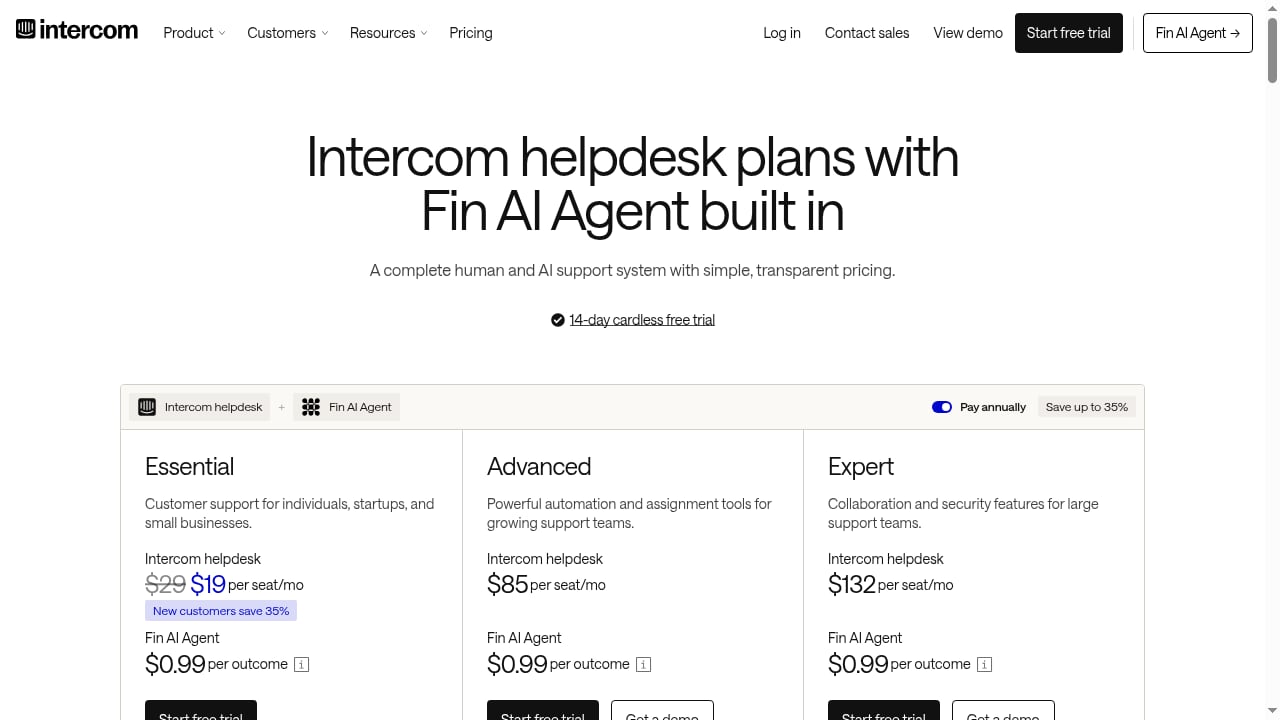
Intercom is an AI-first customer service platform built around Fin, a natively integrated AI Agent. Because Fin is part of the helpdesk rather than bolted on, every customer conversation can inform the next one, helping the agent improve resolution quality over time.
This native integration matters for autonomy. An agent that can access the same conversation history, help center content, and workflow tools as your human team is better positioned to act independently and escalate intelligently. You can extend those workflows further by connecting Intercom with tools like Zapier, as explained in our guide to using Intercom with Zapier for AI customer service workflows.
How to deploy autonomous AI agents responsibly
Autonomy without governance is a risk. Follow these practices to roll out agents safely.
1. Start with a narrow scope
Pilot the agent on a small set of high-volume, low-risk intents. Measure resolution rate and accuracy before expanding.
2. Define escalation rules
Decide which actions the agent can take alone and which require human approval. Refunds above a threshold or account deletions are common examples of actions that should route to a person.
3. Keep knowledge current
Agents are only as good as the data they retrieve. Review help center content and internal documentation regularly.
4. Monitor and audit
Track conversations, review edge cases, and check that the agent stays within policy. Transparency builds trust with both customers and internal stakeholders.
5. Train your team
Human agents should understand what the AI handles, how to review its work, and when to intervene. Clear ownership prevents gaps.
Common challenges and how to address them
Autonomous AI adoption comes with real obstacles. Microsoft's research highlights implementation costs, regulatory complexity, bias risk, and data security concerns. In customer service, the most practical mitigations are:
- Bias: Test the agent across customer segments and review flagged conversations.
- Security: Use platforms with role-based access and audit logs.
- Compliance: Confirm data handling practices meet your industry requirements.
- Cost control: Start with a pilot and scale based on measured resolution rates.
Related reading
- Intercom vs Helpshift vs Thread: AI Customer Service Comparison - Compare Intercom, Helpshift, and Thread for AI customer service. See how natively integrated Fin AI Agent stacks up against gaming-focused and MSP-specific platforms.
- Intercom vs WotNot: AI Customer Service Platform Comparison - Compare Intercom's natively integrated Fin AI Agent with WotNot's no-code AI agent platform on AI resolution, pricing, channels, and fit for support teams.
Frequently asked questions
Are autonomous AI agents the same as chatbots?
No. Traditional chatbots follow scripted flows. Autonomous agents reason about the request, choose tools, and execute multi-step tasks, learning from outcomes over time.
Can autonomous AI agents fully replace human support teams?
Not entirely. They excel at high-volume, well-defined requests. Complex, emotional, or high-risk cases still benefit from human judgment, and most teams use a hybrid model.
How do I measure whether an autonomous agent is working?
Track resolution rate without human handoff, accuracy, escalation reasons, customer satisfaction, and cost per resolution. Compare these against a baseline before and after deployment.
What should an agent never do without approval?
Any irreversible or high-value action, such as large refunds, account deletion, or legal commitments, should require human sign-off.
Do autonomous agents need human oversight?
Yes. Oversight shifts from completing tasks to reviewing outcomes, updating policies, and handling exceptions. Governance is what makes autonomy sustainable.
Conclusion
Autonomous AI agents can take real work off your support team's plate, but only when they are scoped carefully, grounded in reliable data, and governed with clear escalation rules. The most successful deployments combine autonomous handling for routine requests with human expertise for complex cases. Platforms like Intercom, with Fin natively integrated into the helpdesk, make that combination easier to operate because AI and human agents share the same system and the same conversation history.