LiveAgent Review 2026: AI Help Desk for Small Teams
LiveAgent Review 2026: An AI Help Desk Built for Small Teams
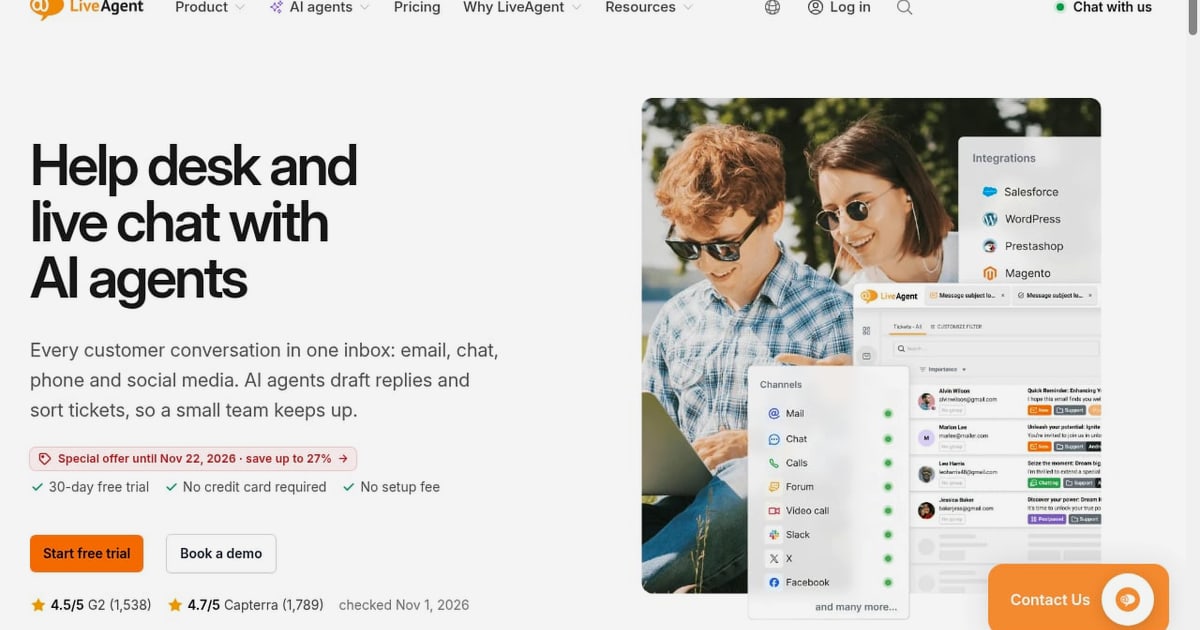
LiveAgent is a help desk and live chat platform that brings email, chat, phone, social media, and WhatsApp into one shared inbox. It has been developed by Quality Unit since 2004 and is used by more than 7,000 businesses. This review examines what LiveAgent does well, where it falls short, and how to decide whether it fits your support team in 2026.
Who LiveAgent Is For
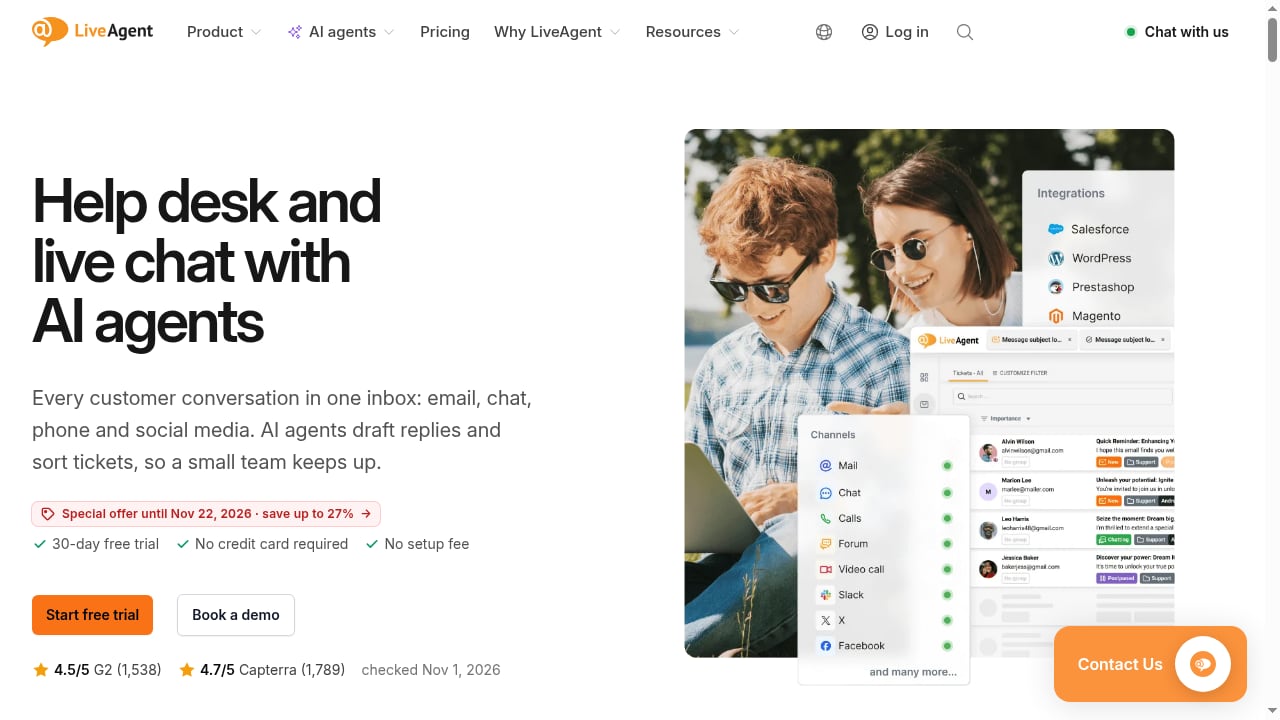
First viewport screenshot of www.liveagent.com.
LiveAgent is designed for small and growing support teams that need a unified inbox without enterprise complexity. Its plans scale from up to 5 agents on the Starter tier to 15 agents on Team and beyond. If you are a startup, a small ecommerce operation, or a service business handling a mix of email, chat, and phone inquiries, LiveAgent is a credible candidate.
It is less suited to large contact centers with complex routing rules, deep workforce management needs, or advanced AI resolution requirements. Teams that need AI to fully resolve customer conversations autonomously should look at AI-first platforms such as those compared in our top 10 AI customer service platforms for ecommerce.
Common Use Cases
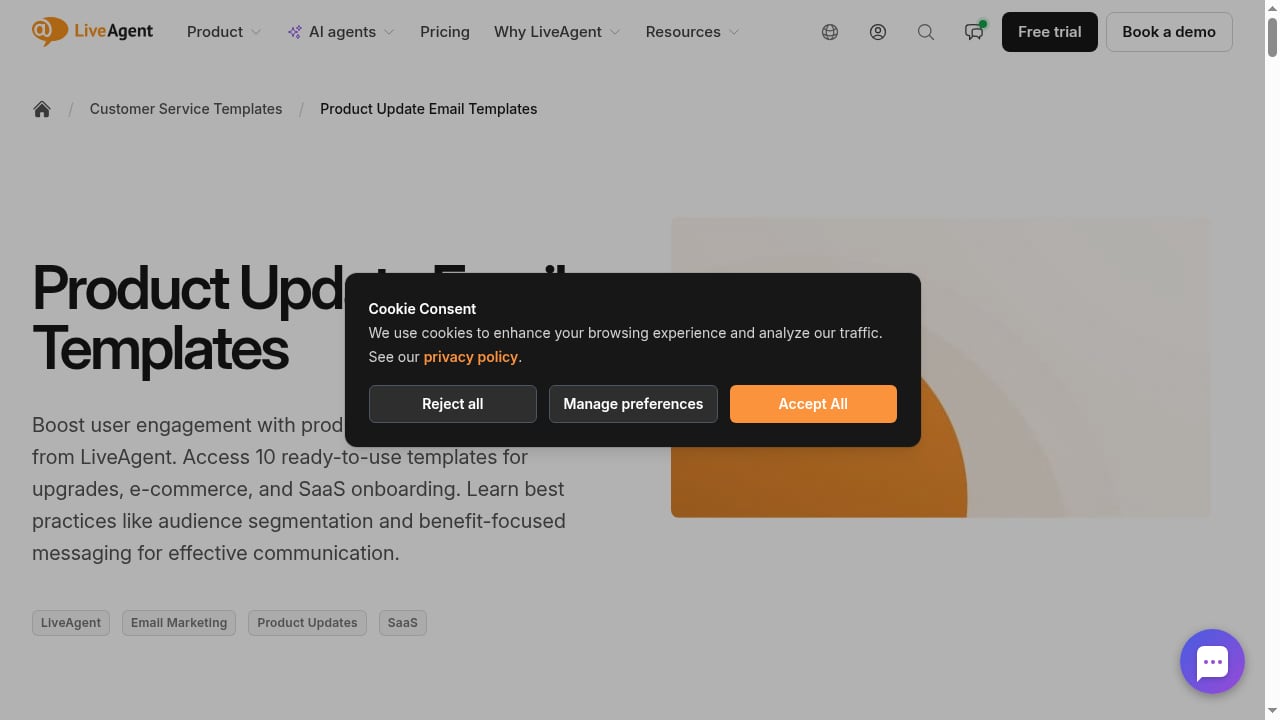
First viewport screenshot of www.liveagent.com.
- Unified multichannel support: Convert email, live chat, phone calls, and social media messages into trackable tickets.
- Small-team live chat: Add proactive chat invitations to a website and manage conversations from a shared inbox.
- Phone support from the Team plan: Use IVR, call routing, and call recording without a separate call center tool.
- Self-service: Publish a knowledge base and contact forms to deflect common questions.
- Billing and VoIP integrations: Connect tools such as ChargeDesk, Braintree, 2checkout, and VoIP providers to keep context in one place.
Strengths
Fast setup and ease of use
LiveAgent emphasizes a quick start—ready in about a minute—and a clean interface. Capterra reviewers rate ease of use at 4.6 out of 5, and the platform is often praised for being accessible to teams without dedicated IT staff.
Strong review scores
LiveAgent holds a 4.5/5 rating on G2 from 1,538 reviews and a 4.7/5 rating on Capterra from 1,789 reviews. These scores suggest broad satisfaction, particularly among small and mid-sized teams.
AI included on every plan
LiveAgent includes AI agents—an AI Chatbot, AI Answer Assistant, and AI Ticket Summary—on every plan. These features help draft replies, tag tickets, filter spam, and route tickets. Unlike some competitors, LiveAgent does not charge per AI resolution; AI usage is billed at the provider's cost, typically 2–4¢ per chat. This makes AI adoption predictable for small teams.
No setup fee and free migration
LiveAgent offers a 30-day free trial with no credit card required, no setup fee, and free migration help. That lowers the switching risk for teams moving from another help desk.
Limitations
Agent limits on lower tiers
The Starter plan caps at 5 agents and Team at 15. Growing teams may need to upgrade sooner than expected, so map your headcount against plan limits before committing.
Phone features require the Team plan
Call center capabilities such as IVR, routing, and recording are not available on Starter. If phone support is central to your operation, budget for Team from the start.
Rich text editor complaints
Some Capterra reviewers mention that the rich text editor can be frustrating, particularly when creating or editing tables for complex customer data. This is a minor but recurring usability note.
Mobile chat management
At least one reviewer noted difficulty managing website chat support from mobile devices, which can limit responsiveness for agents working on the go.
AI is assistive, not fully autonomous
LiveAgent's AI helps agents work faster, but it is not positioned as a fully autonomous resolution engine. Teams expecting AI to close tickets end-to-end should evaluate AI-first alternatives. For a deeper look at how autonomous resolution works, see our guide to automated query resolution.
Pricing Signals
First viewport screenshot of www.liveagent.com.
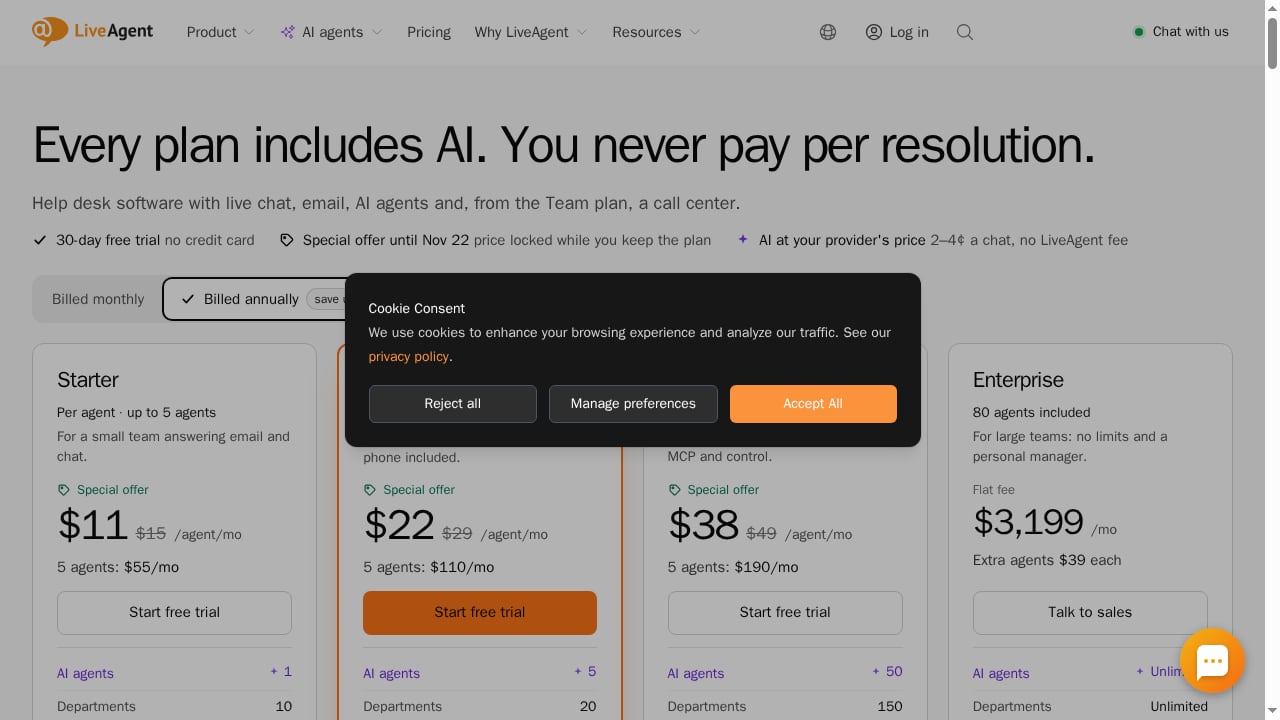
LiveAgent does not publish a single flat price in this review's sources, but the product context indicates tiered plans based on agent count: Starter for up to 5 agents, Team for up to 15 agents, and higher tiers beyond that. AI usage is billed at provider cost (2–4¢ per chat) rather than per resolution. There is no setup fee, and a 30-day free trial is available without a credit card. For exact current pricing, check LiveAgent's official site, as plans and limits can change.
Setup and Onboarding
LiveAgent is positioned for fast setup—ready in about a minute. Onboarding typically involves connecting email, chat, and phone channels, configuring routing rules, and inviting agents. Free migration help reduces the effort of moving historical tickets and settings from another platform. For small teams without dedicated administrators, this low-friction setup is a meaningful advantage.
How LiveAgent Compares
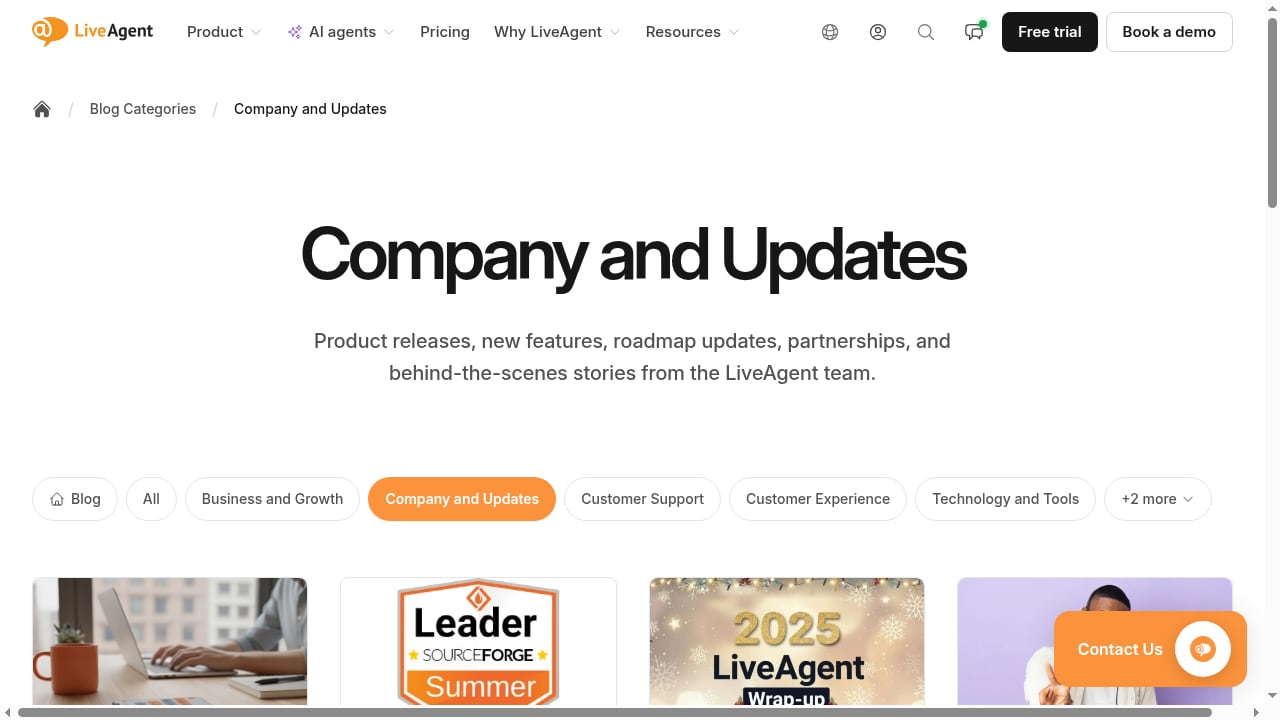
First viewport screenshot of www.liveagent.com.
| Consideration | LiveAgent | AI-first platforms (e.g., Intercom) |
|---|---|---|
| Best for | Small teams wanting unified inbox and fast setup | Teams prioritizing autonomous AI resolution |
| AI model | Assistive AI included on all plans, usage billed at cost | Often resolution-based pricing |
| Phone support | Available from Team plan | Varies by platform |
| Setup complexity | Low | Moderate to high |
| Pricing predictability | High for small teams | Can scale with resolution volume |
If you are weighing broader options, our Intercom vs HubSpot comparison and HubSpot review provide additional context on how AI-first and CRM-centric platforms differ from LiveAgent's help desk approach.
Decision Criteria
Choose LiveAgent if:
- You have a small team (5–15 agents) and want one inbox for email, chat, phone, and social.
- You want AI assistance without per-resolution fees.
- You value fast setup, no setup fee, and free migration.
- You need phone support but not enterprise-level contact center features.
Look elsewhere if:
- You need AI to fully resolve customer conversations autonomously.
- You have more than 15 agents and complex routing requirements.
- You rely heavily on mobile chat management.
- You need advanced rich text formatting for complex customer data.
Related reading
- How to Use Intercom with Assembled for AI-Era WFM - Learn how to connect Intercom with Assembled to forecast, schedule, and manage human and AI agents in one workflow. Setup steps, examples, and FAQs.
FAQ
Is LiveAgent good for small teams?
Yes. LiveAgent is specifically designed for small and growing teams, with plans starting at up to 5 agents and scaling to 15 on Team. Its fast setup and included AI make it accessible without dedicated IT staff.
Does LiveAgent charge per AI resolution?
No. According to the product context, AI is included on every plan and usage is billed at the provider's cost, typically 2–4¢ per chat, rather than per resolution.
What is LiveAgent's rating on review sites?
LiveAgent has a 4.5/5 rating on G2 from 1,538 reviews and a 4.7/5 on Capterra from 1,789 reviews. Trustpilot shows a 4-star rating from 620 reviews.
Does LiveAgent offer a free trial?
Yes. LiveAgent offers a 30-day free trial with no credit card required, no setup fee, and free migration help.
When does LiveAgent's phone support become available?
Call center features such as IVR, routing, and recording are available from the Team plan, not Starter.
Conclusion
LiveAgent is a solid, well-reviewed help desk for small teams that want a unified inbox, fast setup, and AI assistance without per-resolution fees. Its strengths are ease of use, predictable AI costs, and strong customer satisfaction scores. Its limitations—agent caps on lower tiers, phone features gated to Team, and assistive rather than autonomous AI—mean it is not the right fit for every support operation. Use the decision criteria above to determine whether LiveAgent matches your team size, channel mix, and AI expectations.
For a broader view of how AI is changing support platforms, see our Helpshift review and Intercom vs Helply vs HelpDesk comparison.